How to Draw Pacman Pixel Art: Easy 10-Step Guide
Ready to bring a retro gaming icon to life? This pixel art tutorial is perfect for ages 6 and up, using a simple grid method to teach spatial awareness and counting. All you need is a sheet of graph paper and a black marker or pencil to get started.
🎯 Final Result
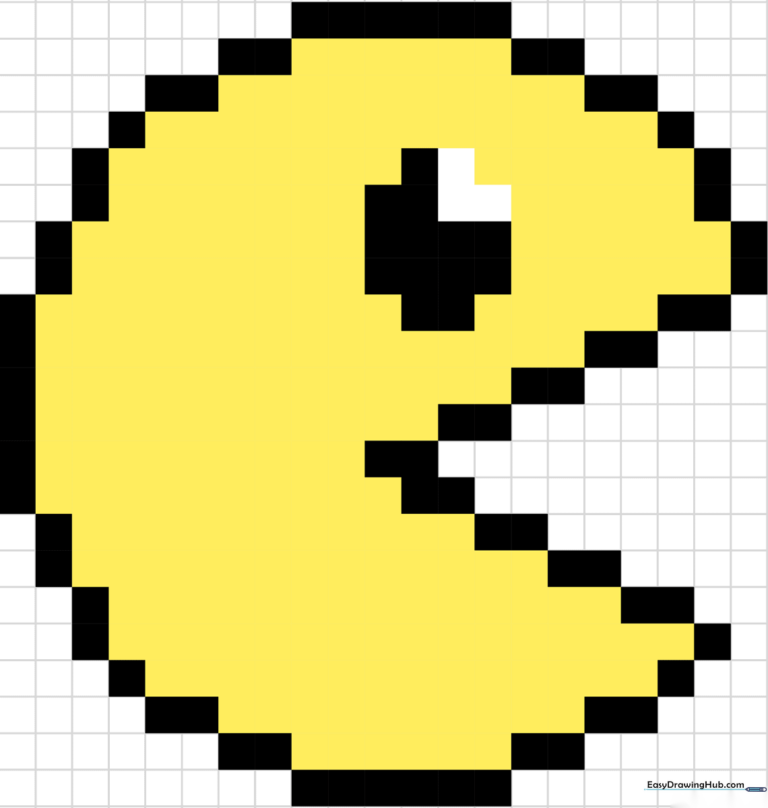
Step-by-Step Instructions
Step 1: Establishing the Top Edge
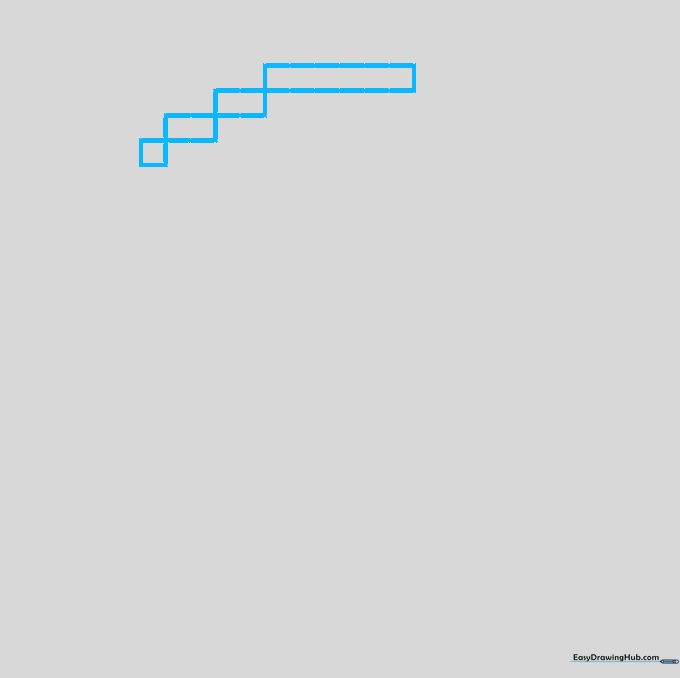
Start by drawing a row of six squares at the top of your grid. Tip: Use a light pencil first so you can easily adjust if your counting is off before committing with ink.
Step 2: Building the Side Profile
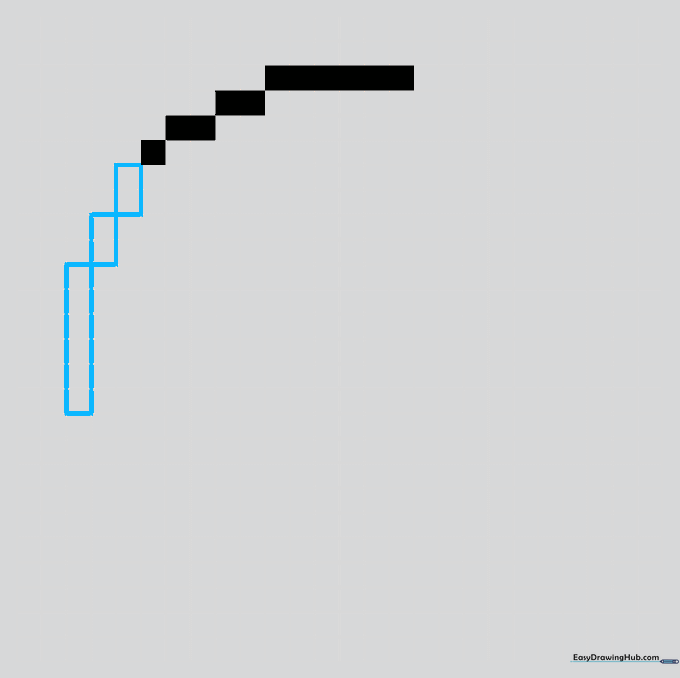
From the edge, add two columns of two squares, followed by a vertical column of six squares. Tip: Keep your lines straight by following the grid lines exactly; precision is the secret to good pixel art.
Step 3: Rounding the Curve
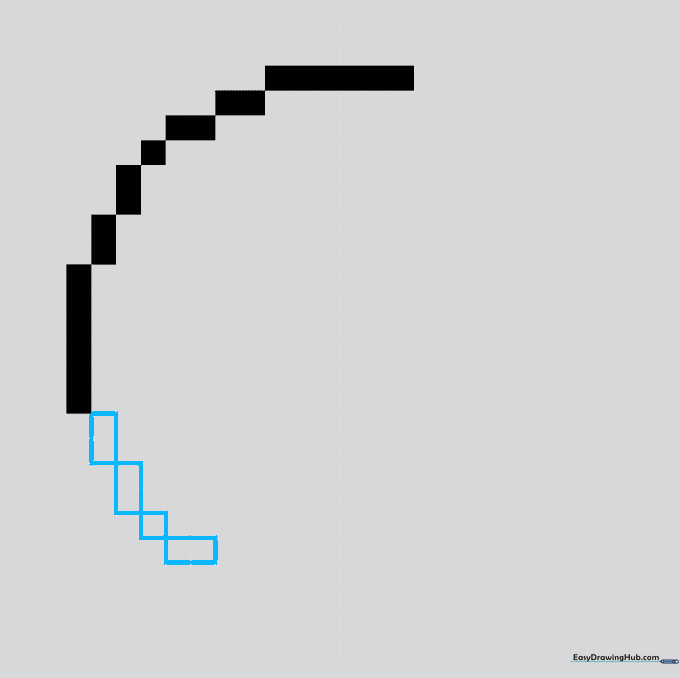
Continue the circular outline using vertical and horizontal pairs of squares. Tip: Think of this like building with LEGO bricks; ensure every corner touches perfectly.
Step 4: Defining the Bottom
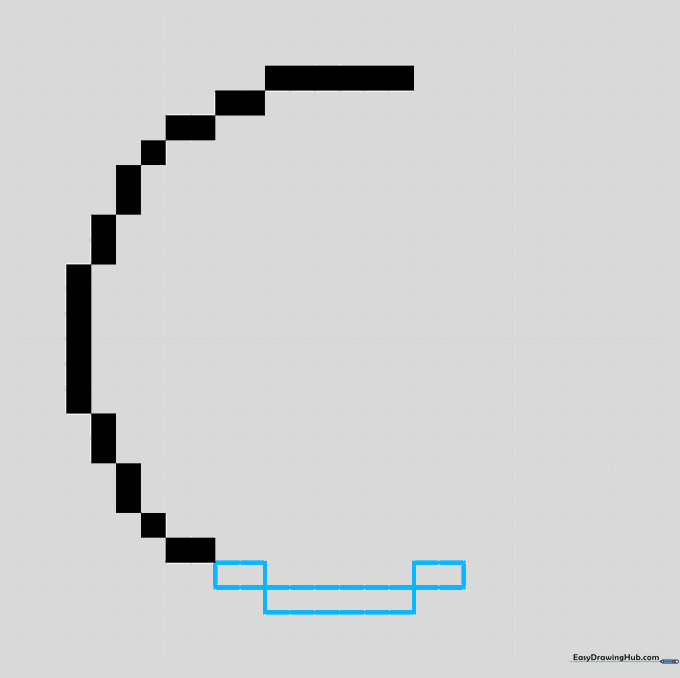
Create the base of the circle using segments of two and six blocks. Tip: Count your squares out loud as you draw to stay on track.
Step 5: Starting the Mouth
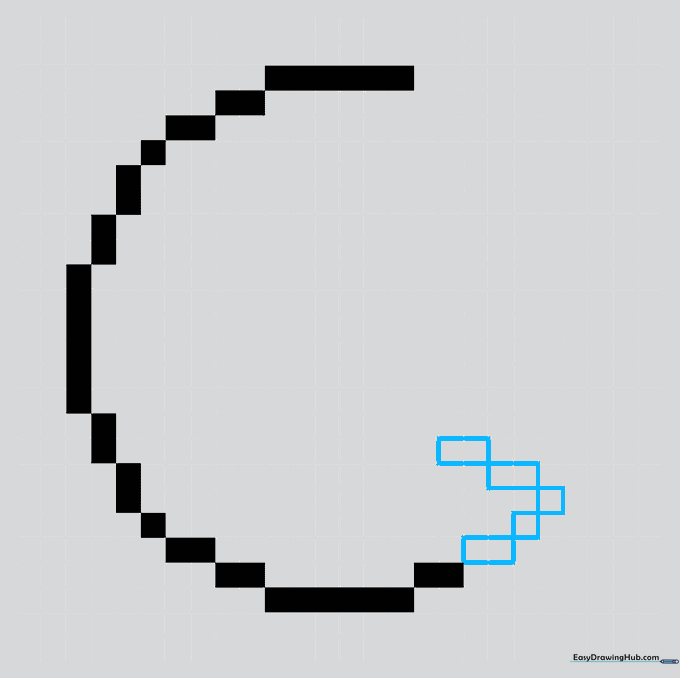
Continue the circle and begin outlining the open mouth using diagonal segments. Tip: This is where the character starts to look like Pac-Man! Take your time with the diagonal angles.
Step 6: Shaping the Jaw
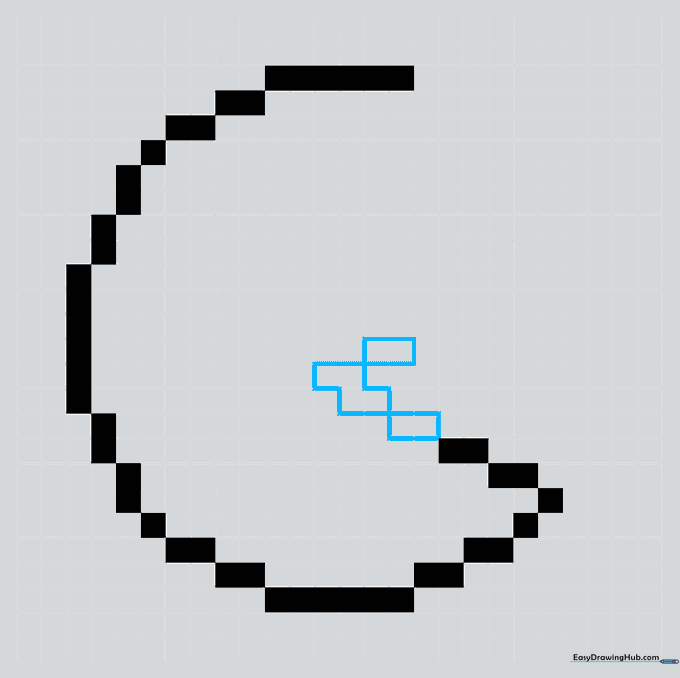
Connect segments of two blocks to define the open mouth. Switch your diagonal direction to trace the top lip. Tip: If you make a mistake, just remember that pixel art is very forgiving—you can always color in an extra square to fix it!
Step 7: Defining the Lip
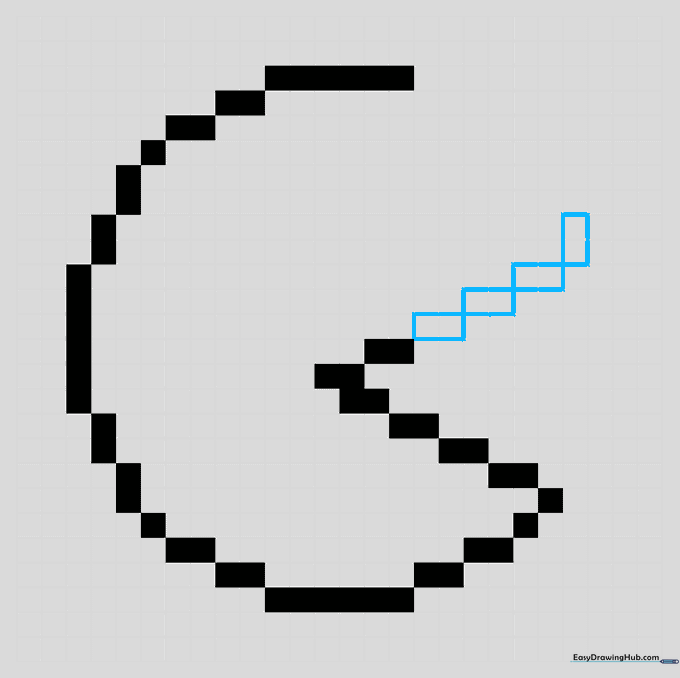
Continue the top of the mouth and transition to a vertical segment to return to the circular face. Tip: Keep your hand steady to ensure the squares align cleanly.
Step 8: Closing the Circle
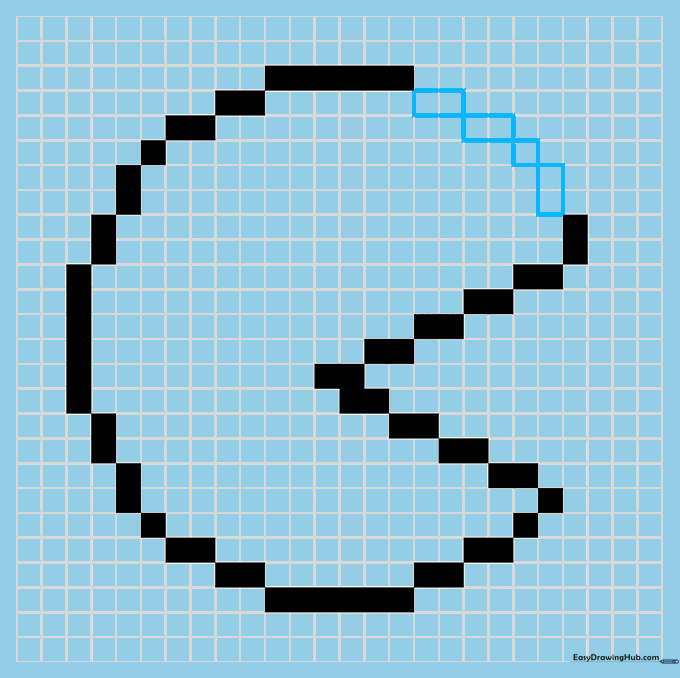
Finish the circular shape by connecting the final single and double blocks. Tip: Double-check that your circle is fully closed before moving on to the details.
Step 9: Adding the Eye
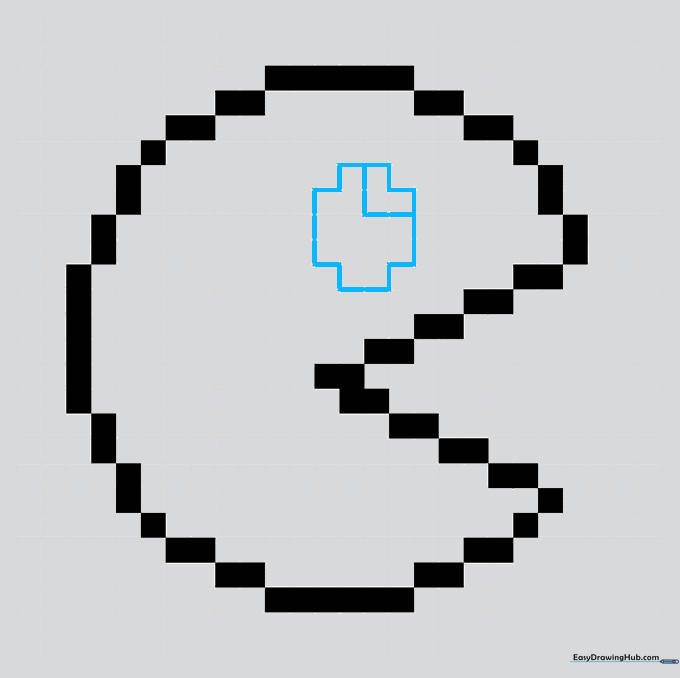
Draw a small 'plus' shape above the mouth, then add an 'L' shape to create the eye. Leave the 'V' shaped segment unshaded. Tip: This small detail gives Pac-Man his classic look, so take your time with the negative space.
Step 10: Bringing it to Life with Color
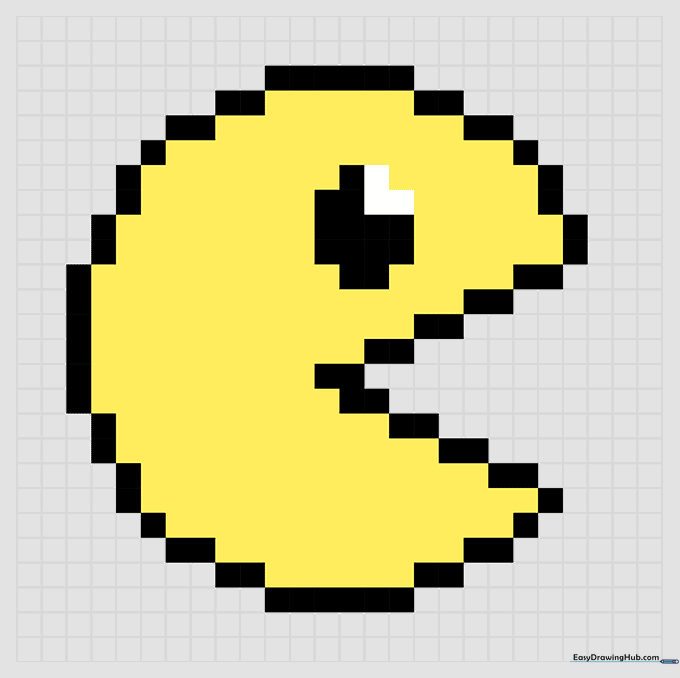
Fill in your outline with bright yellow. Tip: Use a felt-tip marker for a bold, retro arcade look, or colored pencils for a softer finish.
More Tutorials


