How to Draw Mario Pixel Art: Easy 10-Step Grid Guide
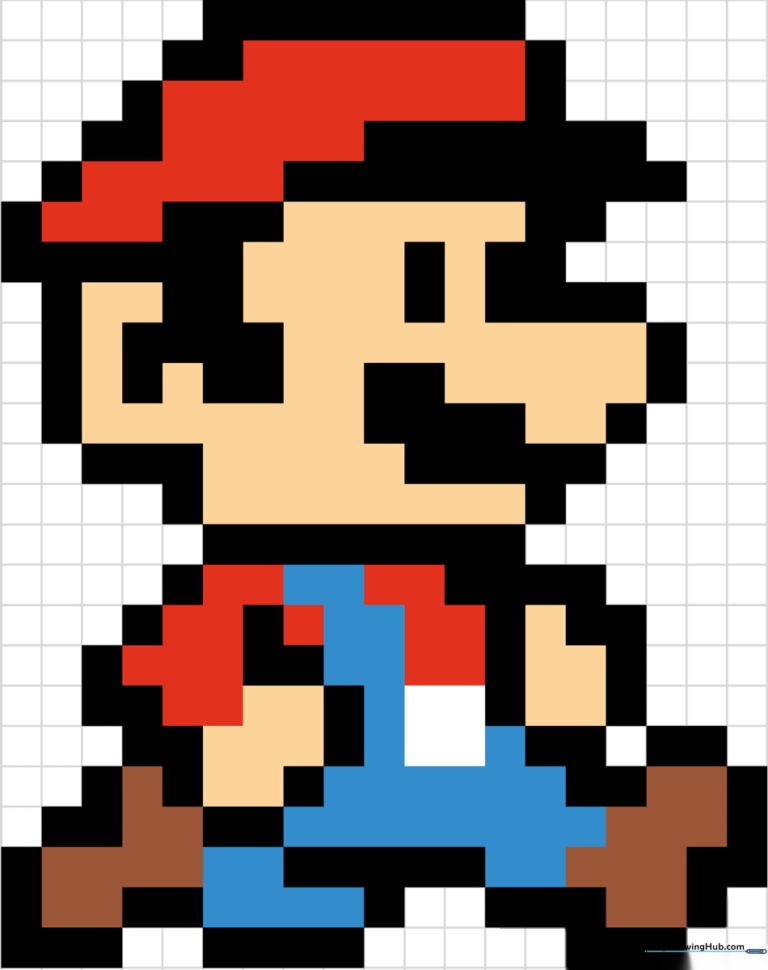
Bring your favorite video game icon to life using the classic pixel art style! This activity is perfect for ages 6+ and requires only a pencil, paper, and a bit of patience. By following this grid-based approach, you will develop spatial awareness and precision while creating a retro masterpiece.
🎯 Final Result
Step-by-Step Instructions
Step 1: Mapping the Head Outline
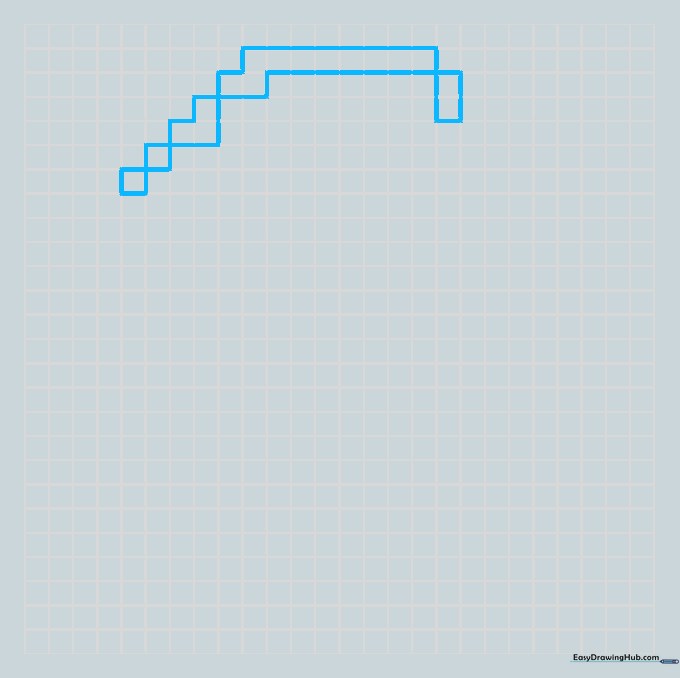
Start by sketching a series of diagonal squares to form the base. Some squares should have a gap between them to create a 'V' shape. Finish the top with a horizontal row of eight squares. Teacher's Tip: Use a ruler or graph paper to keep your squares uniform; it makes the final pixel look much cleaner!
Step 2: Defining the Cap Brim
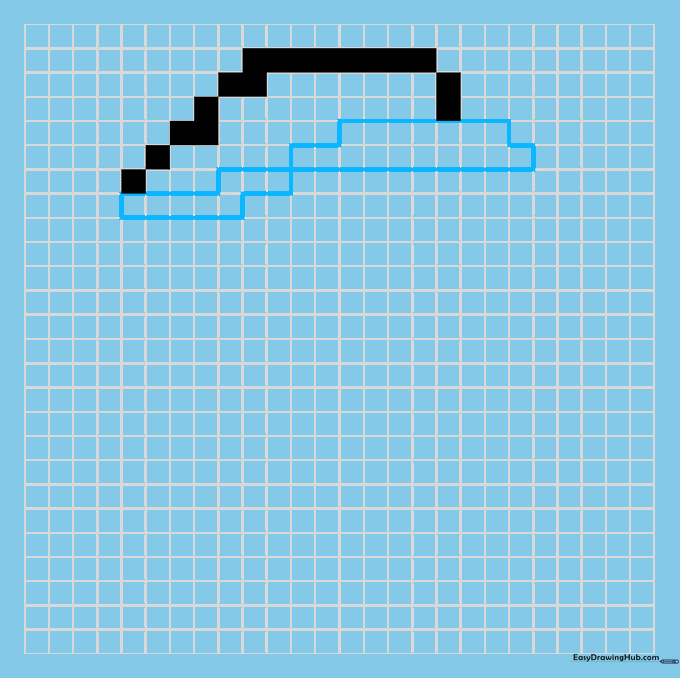
Draw the brim of the cap by shading four horizontal rows of squares: seven, ten, three, and five. Tip: Ensure your squares touch at the corners to maintain that authentic 8-bit look.
Step 3: Outlining the Face
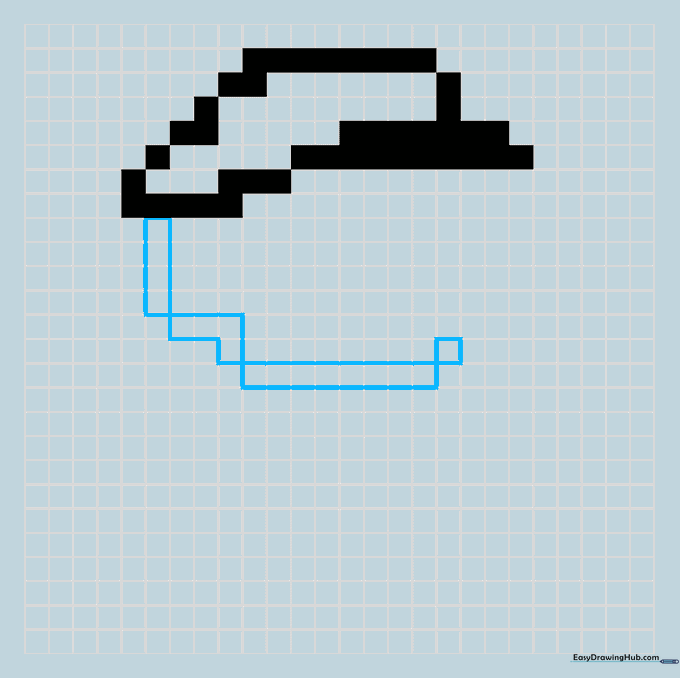
Define the side and bottom of the face. Shade a vertical line of four squares, an 'L' shape of four, a horizontal line of eight, and a single square. Tip: Keep your pencil pressure light until you are sure of the placement.
Step 4: Adding the Nose
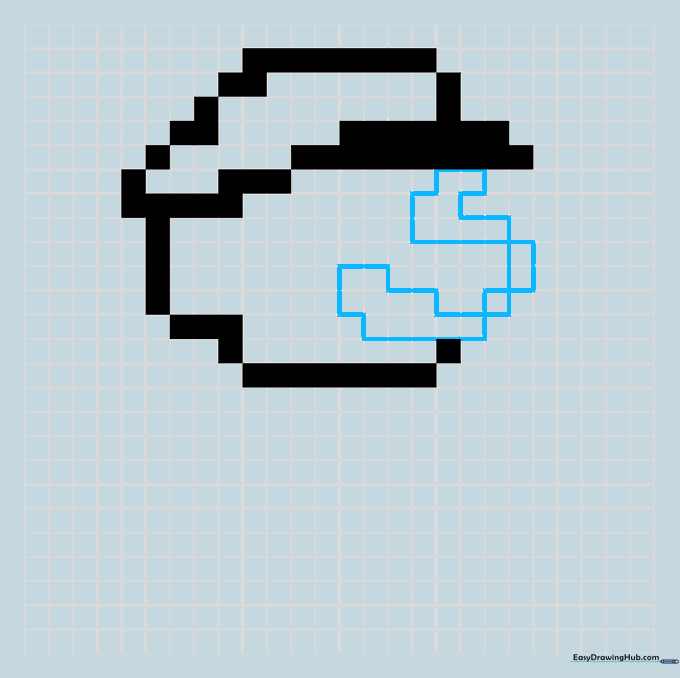
Complete the face and nose. For the nose, draw horizontal lines of two, four, and five squares. For the forehead, use segments of two, two, and four squares. Tip: The nose is the most recognizable part of Mario’s face, so take your time counting the squares here!
Step 5: Eyes and Hair
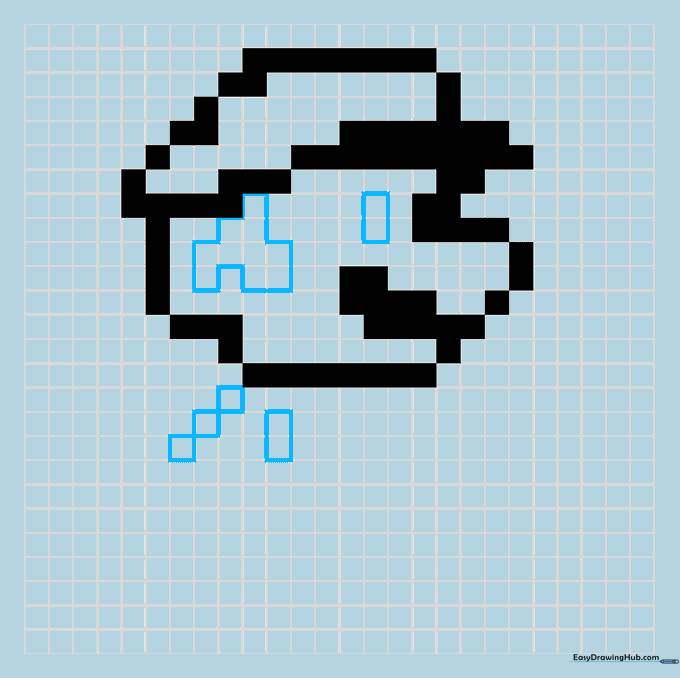
Shade two squares for the eye and an inverted 'Y' shape for the hair and ear. Below the head, add three diagonal squares and a vertical pair. Tip: The eye is small, so use a sharp pencil point to keep it neat.
Step 6: Drawing the Arms and Body
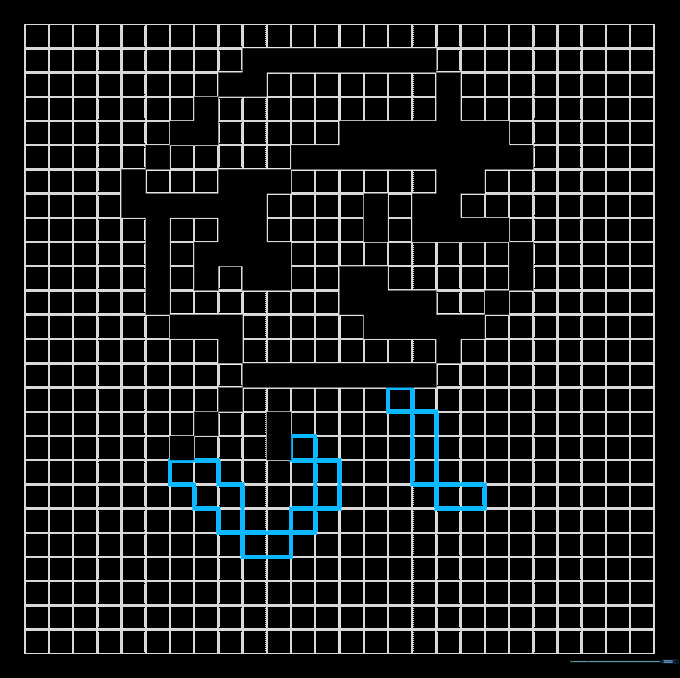
Form the arm using a single square, a two-square block, and a 'W' shape. Build the front of the body with one square, three vertical squares, and two horizontal ones. Tip: Think of these as building blocks; if you make a mistake, just erase and re-shade.
Step 7: The Leg and Foot
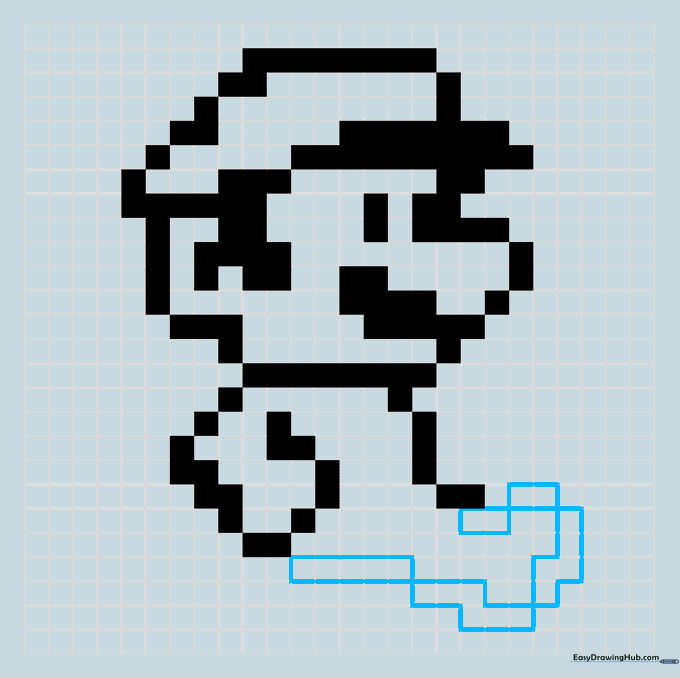
Draw the extended leg and foot. Use horizontal lines of two squares each for the top, and 'Z' shaped lines to round out the foot. Connect it to the body with a line of five squares. Tip: Check your alignment with the body before moving to the next step.
Step 8: Finalizing Limbs
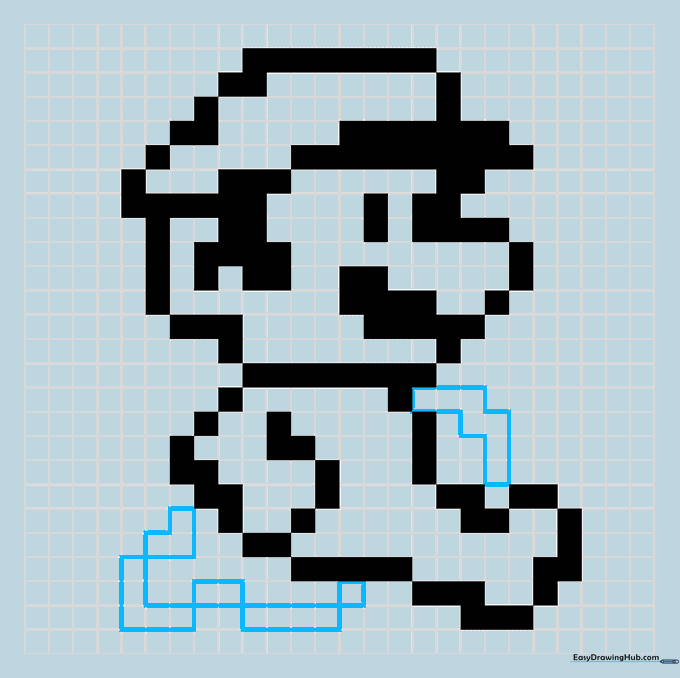
Add the remaining arm with a 'W' shape. Trace the second leg using 'V' and 'L' shaped segments, horizontal lines of two and four, and a single square. Tip: Symmetry is key here—compare the two legs to ensure they look balanced.
Step 9: Adding Internal Details
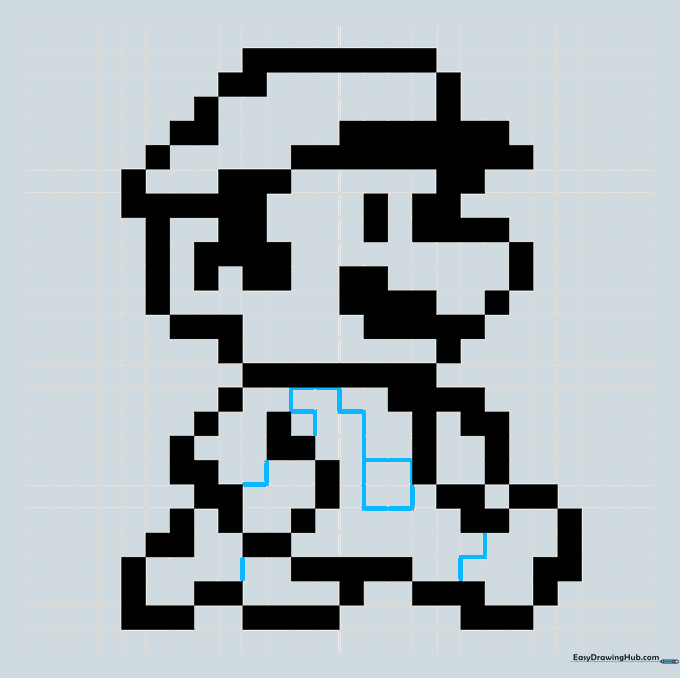
Draw a square around four central squares to add depth. Use thin lines to mark color boundaries on the shirt, hands, and feet. Tip: These lines are just guides for coloring, so keep them faint.
Step 10: Bringing Mario to Life with Color
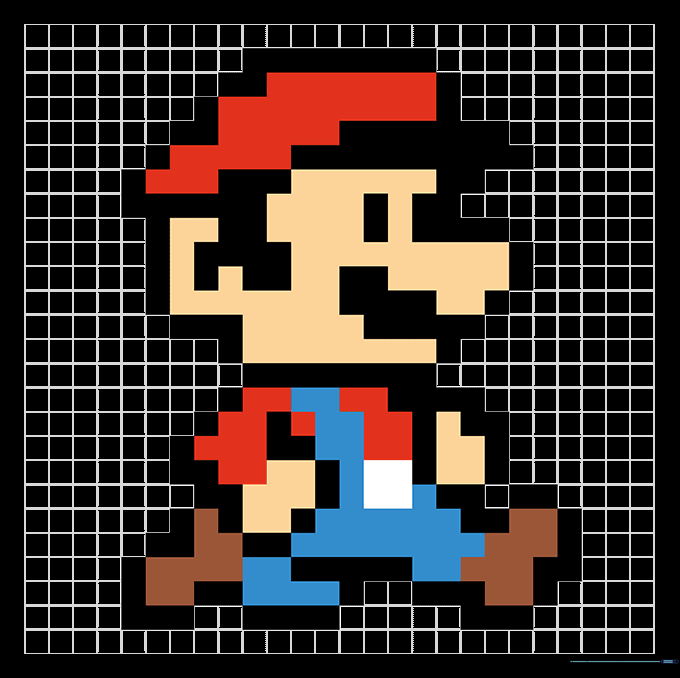
Time to color! Use classic red for the shirt and hat, and blue for the coveralls. Tip: Use felt-tip markers for a bold, retro look, or colored pencils for a softer finish.
More Tutorials


