How to Draw Pixel Art Faces: Easy 10-Step Guide
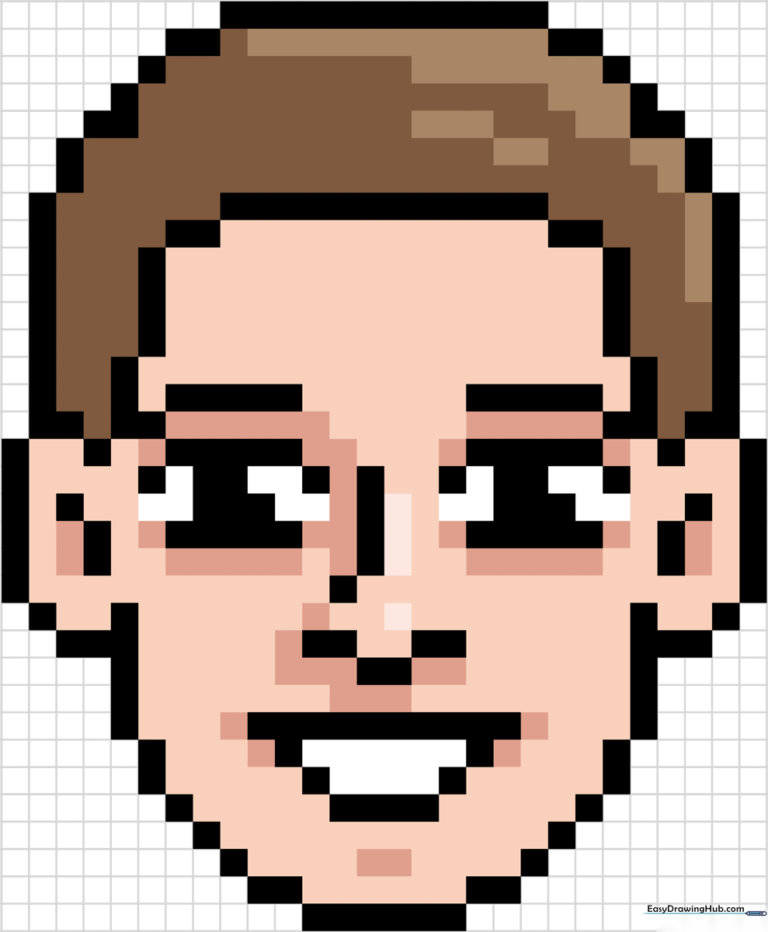
Ready to create your own digital-style character? This tutorial is perfect for artists ages 6+ who want to master the grid-based logic of pixel art. All you need is a pencil, paper, and a steady hand to build this face block by block.
🎯 Final Result
Step-by-Step Instructions
Step 1: Establishing the Eye Placement
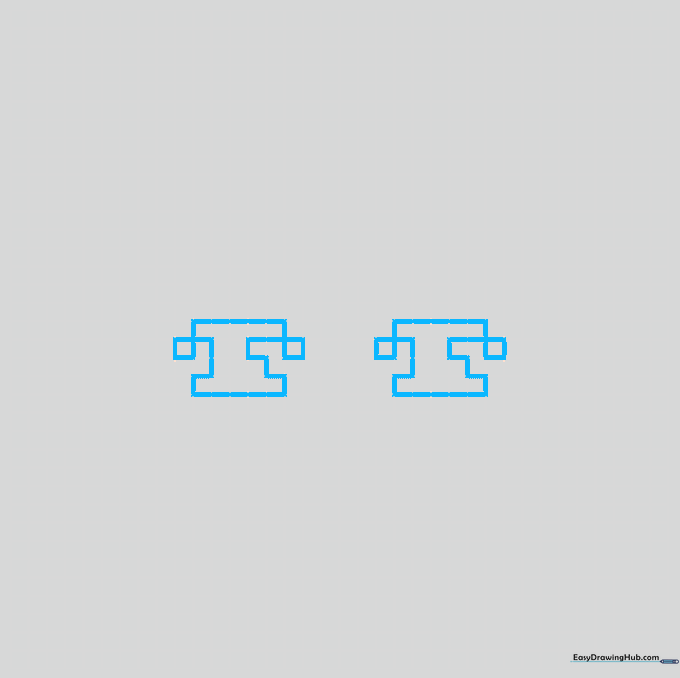
Draw two sets of rectangular blocks for the eyes. Connect them with a small L-shape in the center, and place a square on the outer edges. Teacher's Tip: Keep your lines light; if you make a mistake, it’s much easier to erase on grid paper.
Step 2: Defining the Nose and Mouth
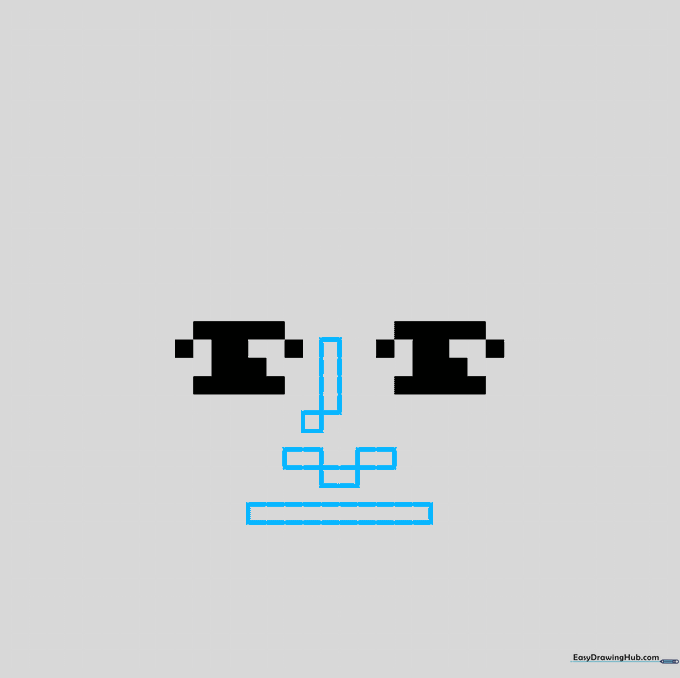
Fill in your eye shapes with black. Below the eyes, draw a vertical rectangle for the nose bridge, adding three short rectangles to form the tip. Teacher's Tip: Ensure your rectangles are perfectly aligned with your grid lines to maintain that authentic 'pixel' look.
Step 3: Building the Mouth Structure
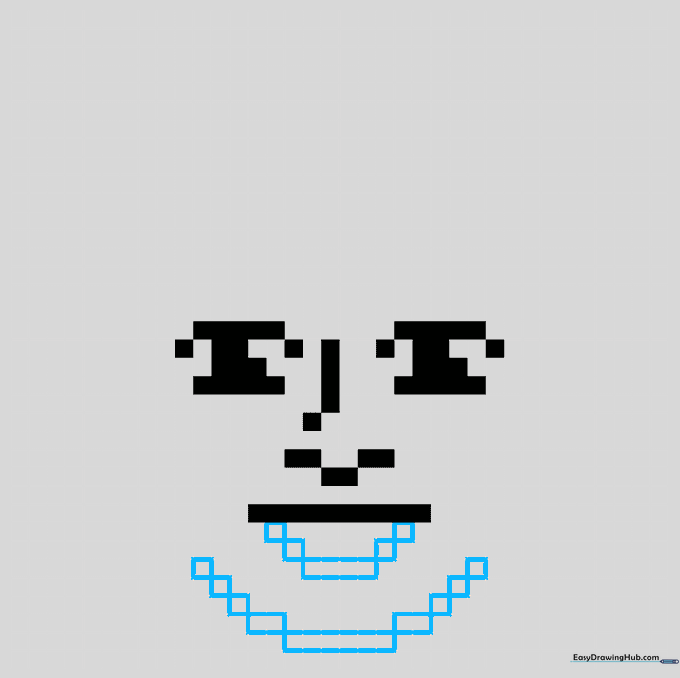
Add a short rectangle beneath the nose, then use squares to connect it to the upper jawline. Repeat this for the mouth area. Teacher's Tip: Count your grid squares carefully to ensure the mouth is perfectly centered under the nose.
Step 4: Adding Ears and Facial Contours
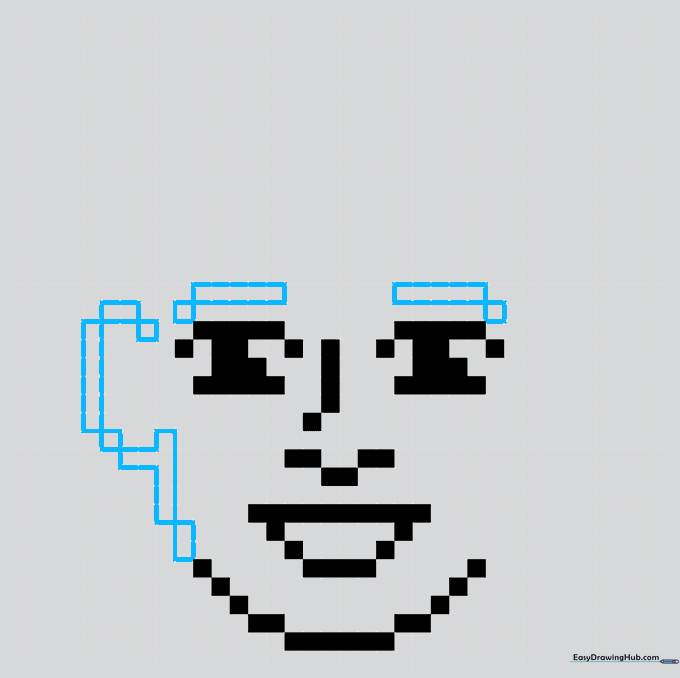
Place rectangles and squares to form the ears on the left side of the face. Add a horizontal rectangle near the top for the hairline. Teacher's Tip: Pixel art relies on symmetry; try to mirror your shapes on the opposite side in the next step.
Step 5: Balancing the Face
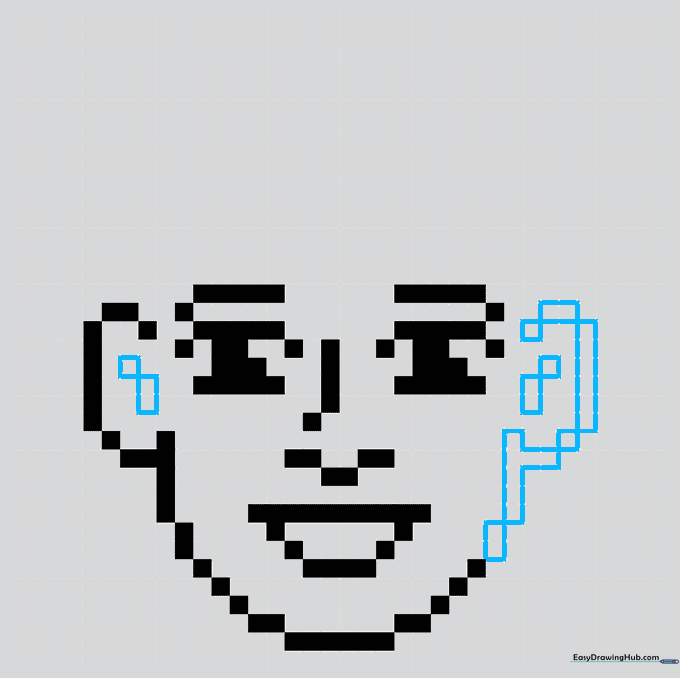
Repeat the ear and contour shapes on the right side. Add small squares inside the ears for depth. Teacher's Tip: Check that your ear placement is level with the eyes to keep the face looking natural.
Step 6: Sketching the Hairline
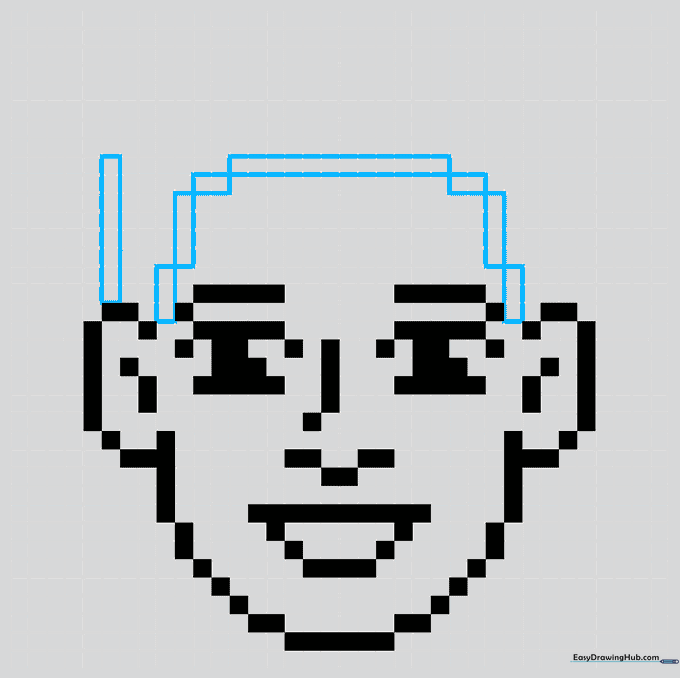
Draw a long vertical rectangle on the left side of the head, connecting it to the face with smaller blocks. Teacher's Tip: Varying the length of your rectangles here will make the hair look more realistic and less like a solid block.
Step 7: Completing the Head Shape
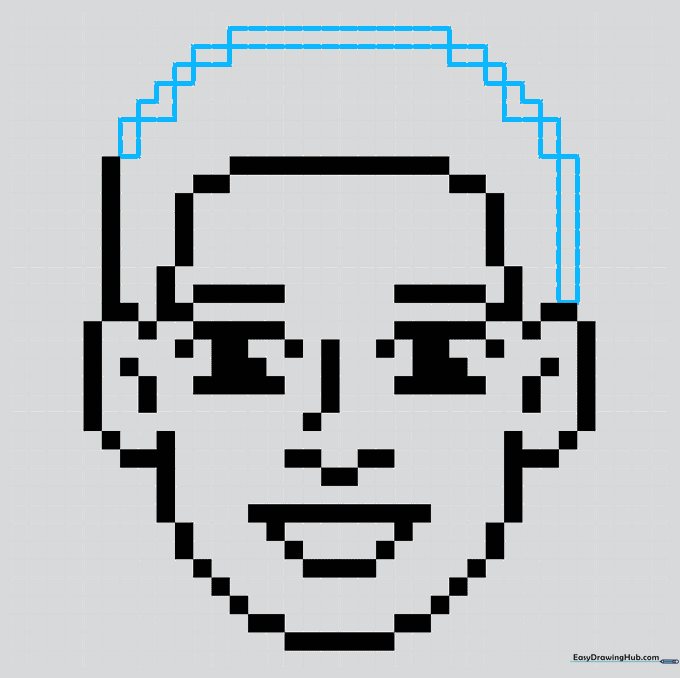
Mirror the hair process on the right side, ensuring the top of the head forms a smooth dome shape. Teacher's Tip: Don't worry if it looks jagged—that's the charm of pixel art!
Step 8: Adding Texture Details
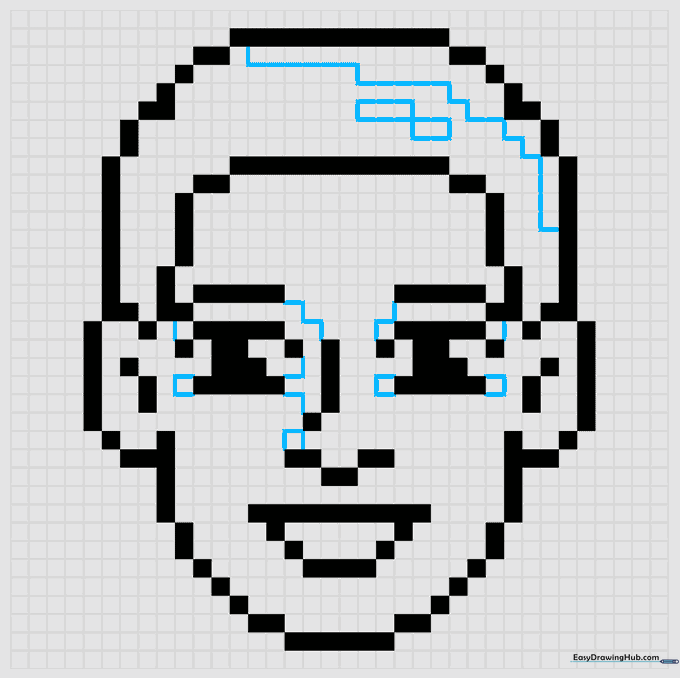
Add thin, jagged lines inside the hair and face areas to define shadow zones. Do not outline these in black yet. Teacher's Tip: These lines act as boundaries for your colors later, so keep them light.
Step 9: Finalizing the Outline
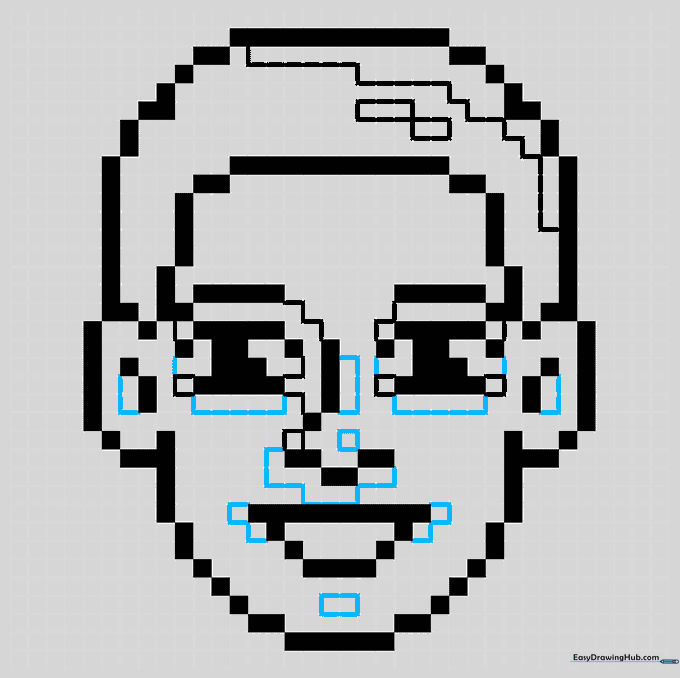
Go over your main shapes with a black pen to define the eyes, ears, and mouth clearly. Teacher's Tip: Use a steady hand to keep your lines crisp and sharp.
Step 10: Bringing it to Life with Color
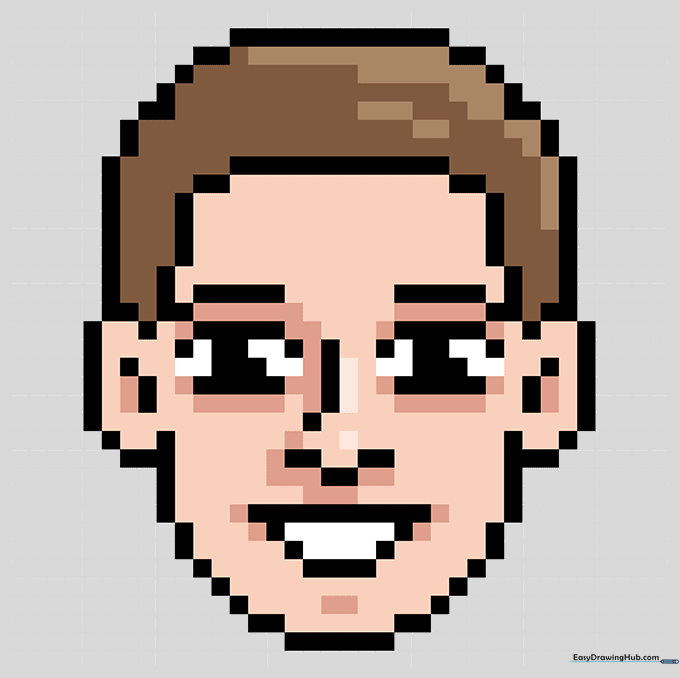
Color the skin and hair, using darker shades for shadows and lighter shades for highlights on the nose. Teacher's Tip: Use the thin lines you drew in Step 8 to guide your color placement for a professional finish.
More Tutorials


