How to Draw Vee from Dandy’s World: Easy Step-by-Step Guide
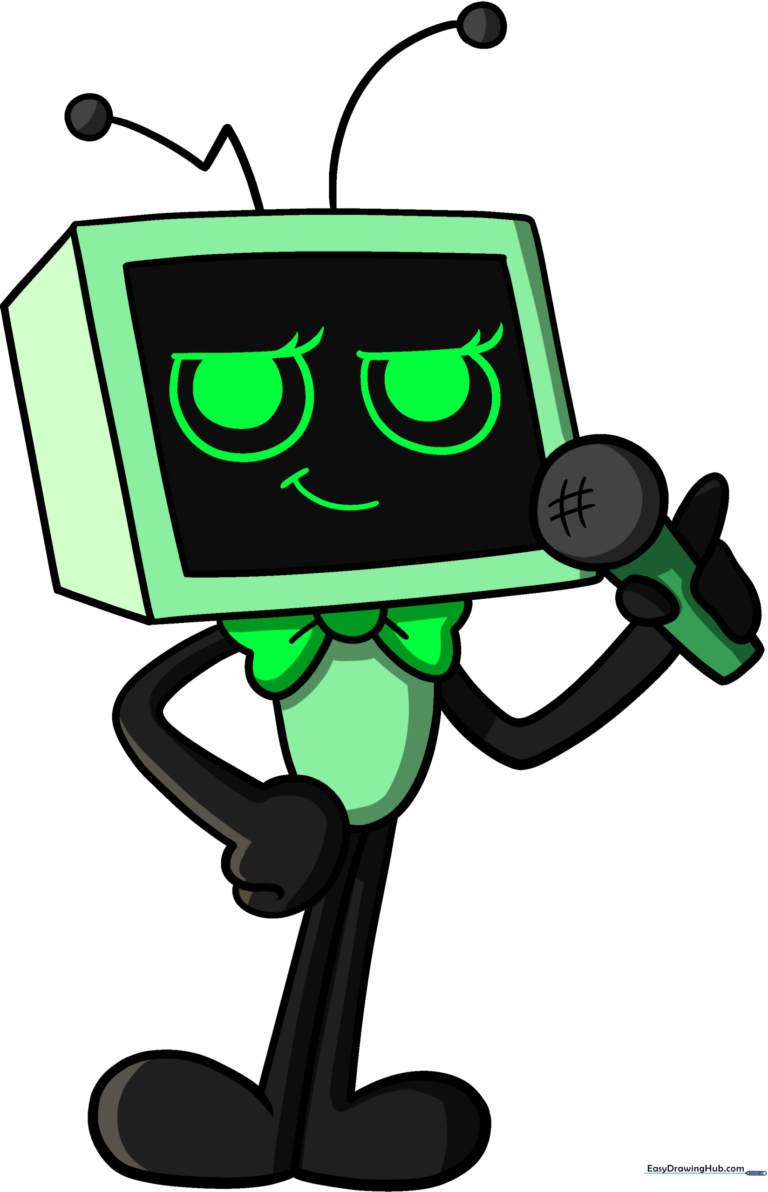
Bring your favorite Dandy's World character to life! This tutorial is designed for young artists and beginners, requiring only a pencil, paper, and an eraser. Follow along to master Vee’s unique monitor-head shape and expressive features while building your confidence as an illustrator.
🎯 Final Result
Step-by-Step Instructions
Step 1: Sketching the Eyes
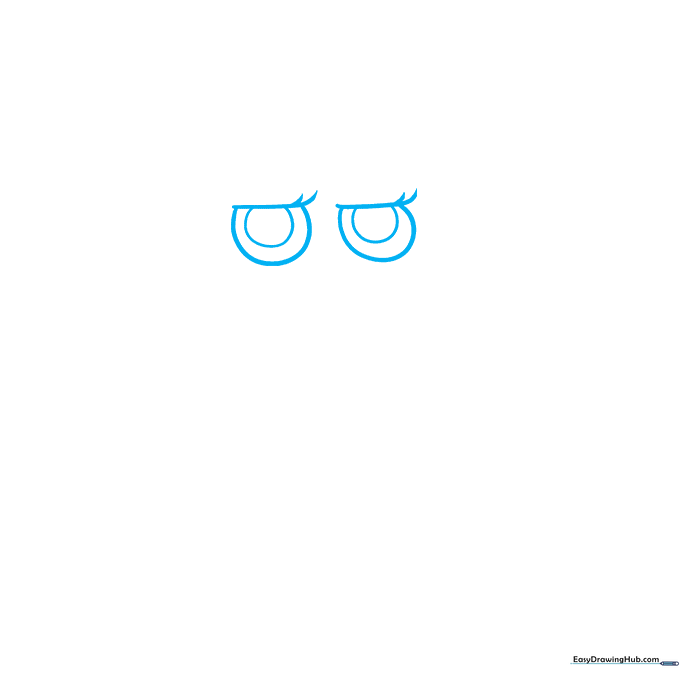
Start by drawing two straight horizontal lines for the top of the eyes. Add curved lines underneath to form the eye shapes. Tip: Keep your pencil pressure light so you can easily adjust the symmetry if needed.
Step 2: Defining the Face
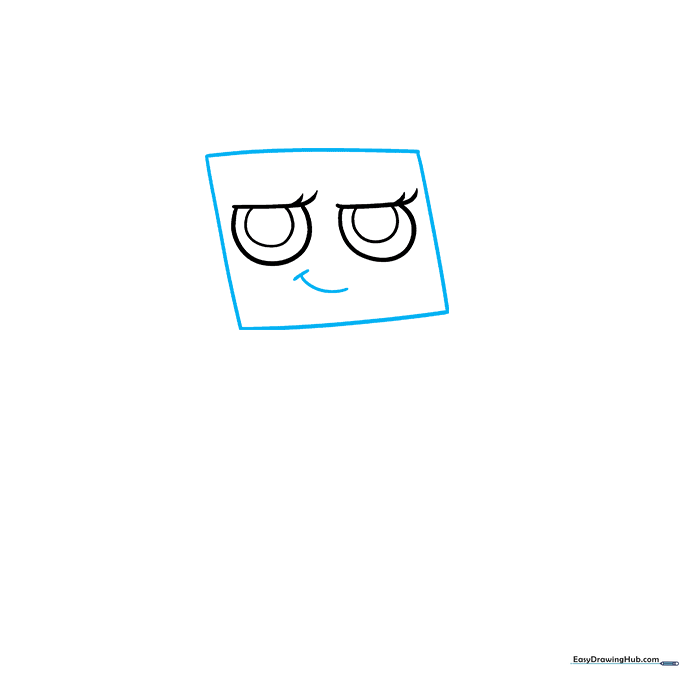
Draw a slanted rectangle (parallelogram) around the eyes to create the monitor screen. Add a small, smirking mouth below the eyes using two simple curved lines. Tip: A smirk is just a curve that goes up on one side—don't worry about making it perfectly symmetrical!
Step 3: Adding Depth
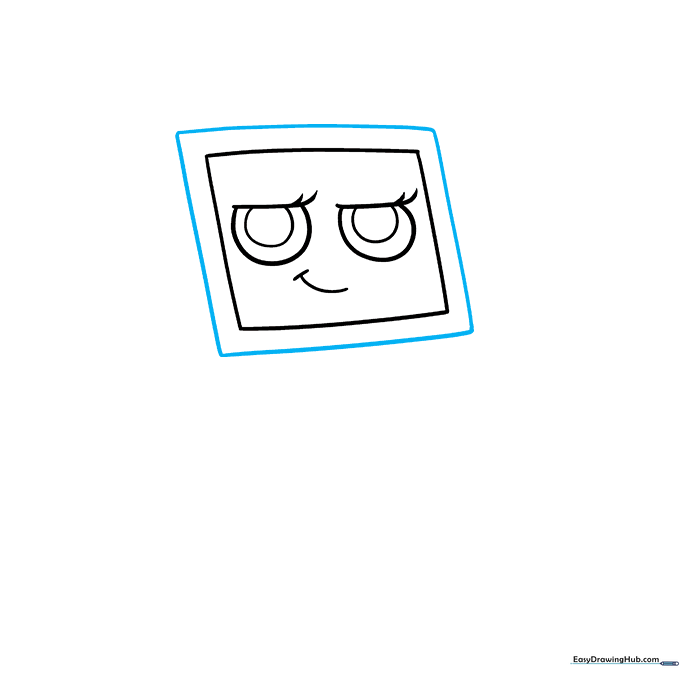
Draw a second, slightly larger parallelogram around the first one. This creates the thick border of the TV screen. Tip: Use a ruler if you want perfectly straight lines, or embrace the hand-drawn look for extra character.
Step 4: Constructing the Head and Antennas
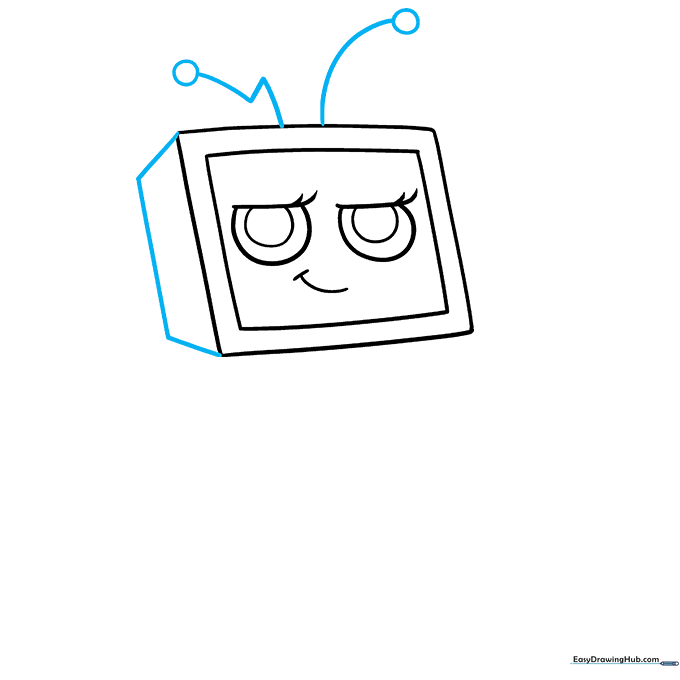
Connect the sides with a trapezoid shape to give the head a 3D monitor look. Add two antennas on top—one curved, one zigzag—with small circles at the tips. Tip: Make the antennas look bouncy by varying the line thickness.
Step 5: Drawing the Bowtie and Body
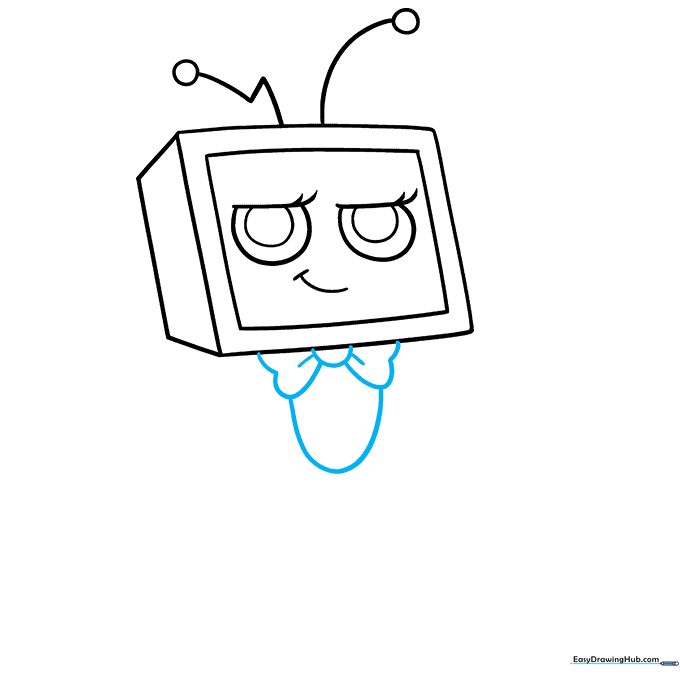
Draw a bowtie under the chin using a central half-circle and two wing-like shapes. Below the bowtie, sketch a simple oval for the body. Tip: Keep the bowtie slightly wider than the chin to make it pop.
Step 6: The Microphone Arm
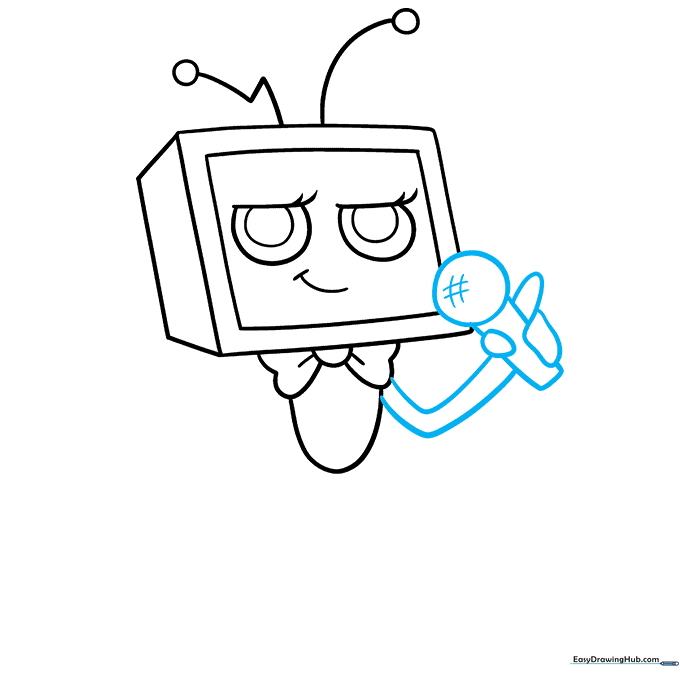
Draw the arm holding the microphone. The microphone is a rectangle with a circular top. Use a hashtag pattern on the circle for texture. Tip: Draw the fingers overlapping the microphone handle to show that Vee is gripping it tightly.
Step 7: The Second Arm
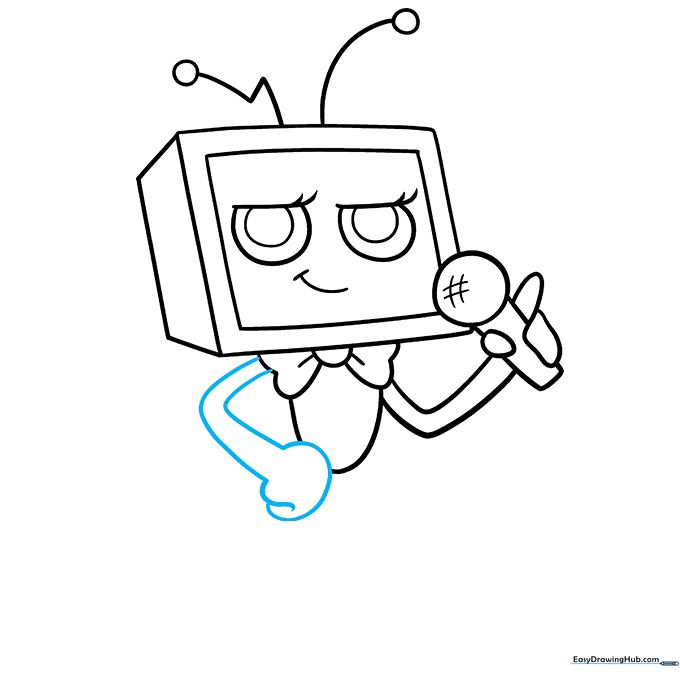
Draw the other arm using two long, curved lines. Let the lines diverge slightly to show the hand's position. Tip: If the arm looks too stiff, add a slight bend at the elbow.
Step 8: Drawing the Leg
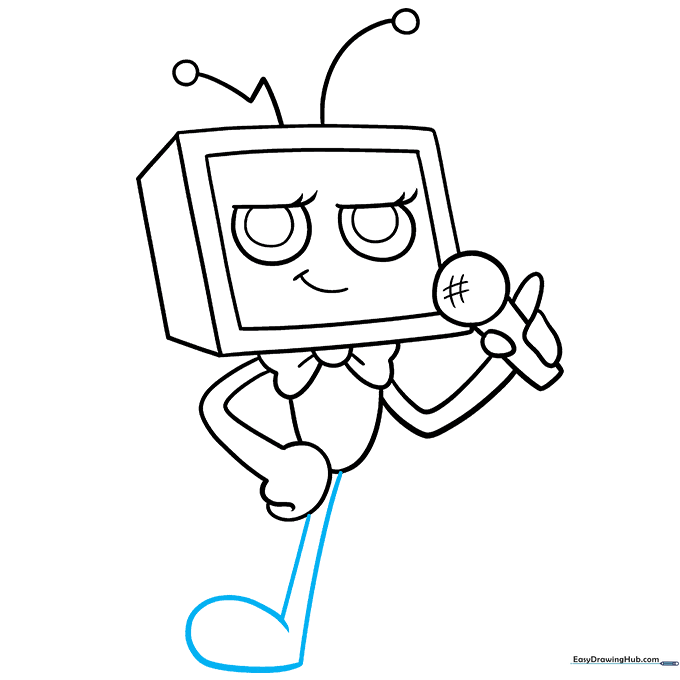
Sketch the first leg using long, curved lines that connect to a foot. It should resemble a music note shape. Tip: Make sure the foot is flat at the bottom so Vee looks like they are standing firmly.
Step 9: Finishing the Feet
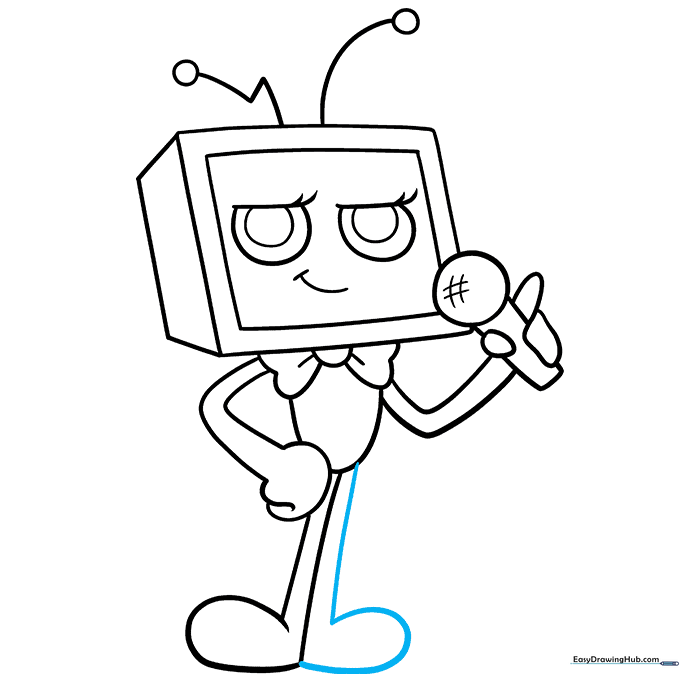
Add the second foot next to the first one using simple, rounded lines. Tip: Keep the feet close together to maintain the character's balance.
Step 10: Bringing Vee to Life with Color
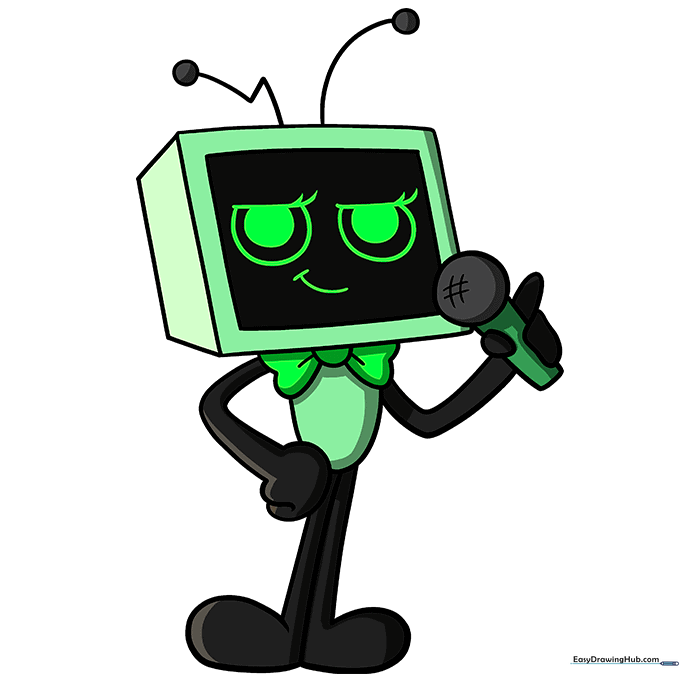
Time to color! Use a vibrant green for the head and body, black for the arms, legs, and screen frame, and neon colors for the eyes to give them that 'glowing' screen effect. Tip: Use markers for bold, solid colors that match the cartoon style.
More Tutorials


