How to Draw Sonic the Hedgehog Pixel Art: Easy Grid Guide
Bring the world of gaming to your sketchbook with this fun Sonic the Hedgehog pixel art project. Designed for ages 6+, this activity uses a simple grid method to help you master proportions and spatial awareness. All you need is a piece of graph paper, a black marker, and your favorite coloring pencils.
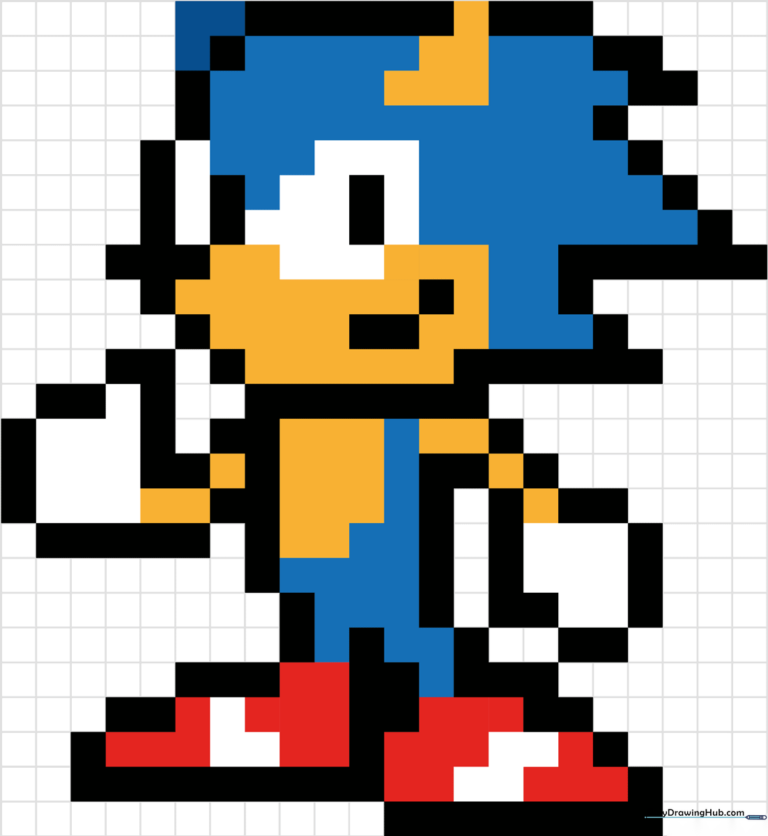
🎯 Final Result
Step-by-Step Instructions
Step 1: Mapping the Head
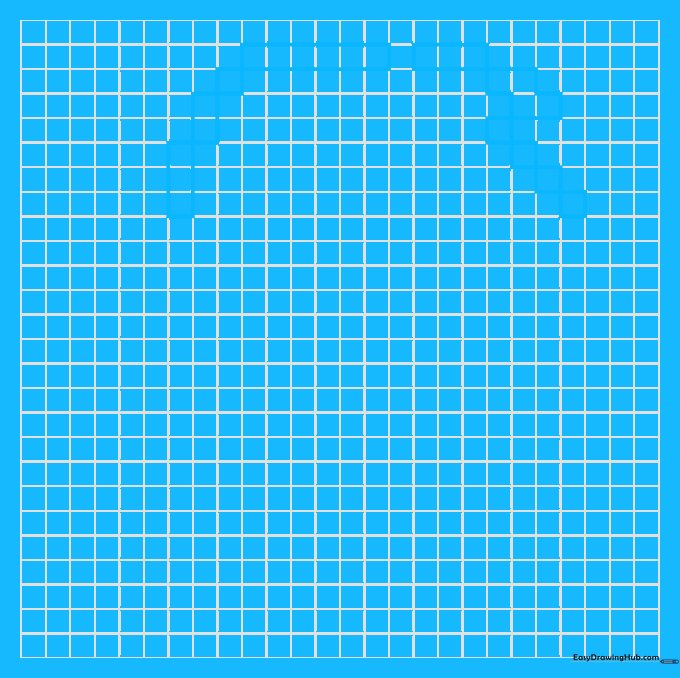
Start by outlining the top of Sonic’s head using a grid. Shade three blocks, then two, then one at the corner, followed by six horizontal blocks. Teacher's Tip: Use a light pencil to map your squares first before committing with a marker, so you can easily fix any counting errors.
Step 2: Defining the Jawline
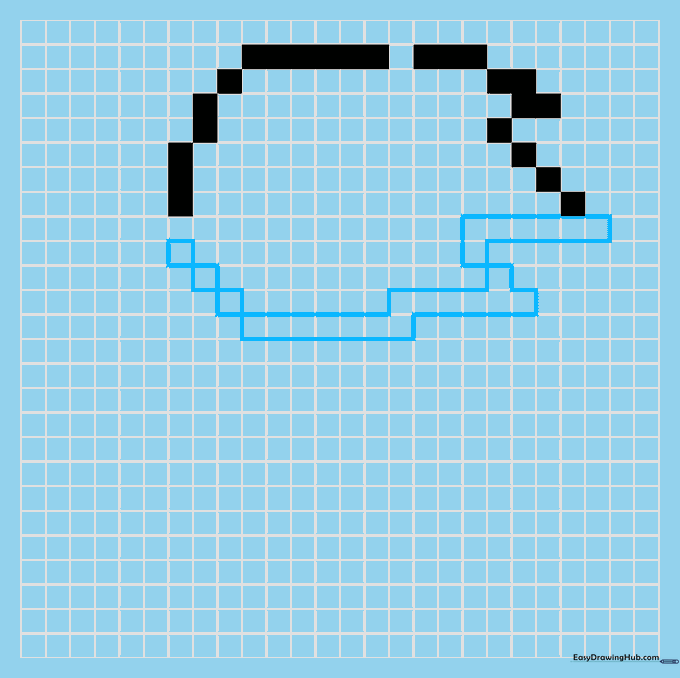
Continue the head shape by adding the lower jaw. Use a series of seven, six, and one pixel, finishing with an 'L' shape of seven blocks. Teacher's Tip: Keep your rhythm steady—pixel art is all about counting, so take your time to ensure the 'L' shape aligns correctly with the top section.
Step 3: Facial Features and Torso
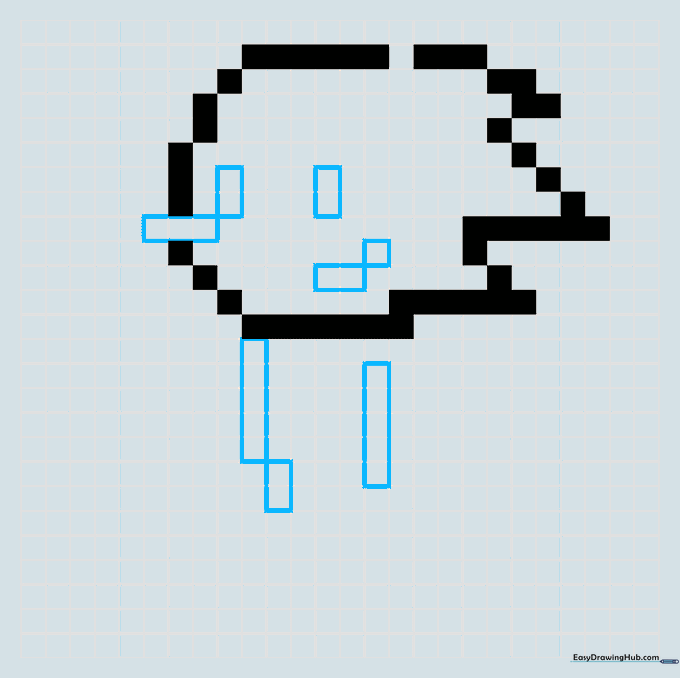
Add the inner details of the face using sets of three, two, and one block. Once the face is set, begin the body with a vertical line of five blocks. Teacher's Tip: When drawing the body, ensure you leave enough space on the grid for the arms and legs later.
Step 4: Sketching the Foot
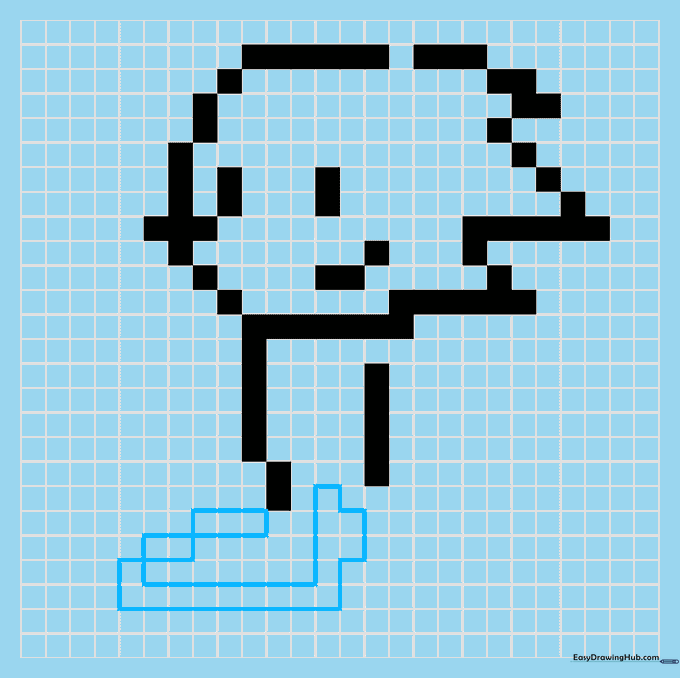
Outline the top of the foot with horizontal segments of three and two blocks. Then, build the base using nine horizontal blocks and vertical segments. Teacher's Tip: Sonic's shoes are iconic—make sure the base is wide enough to give him that 'speedy' look!
Step 5: Body and Second Foot
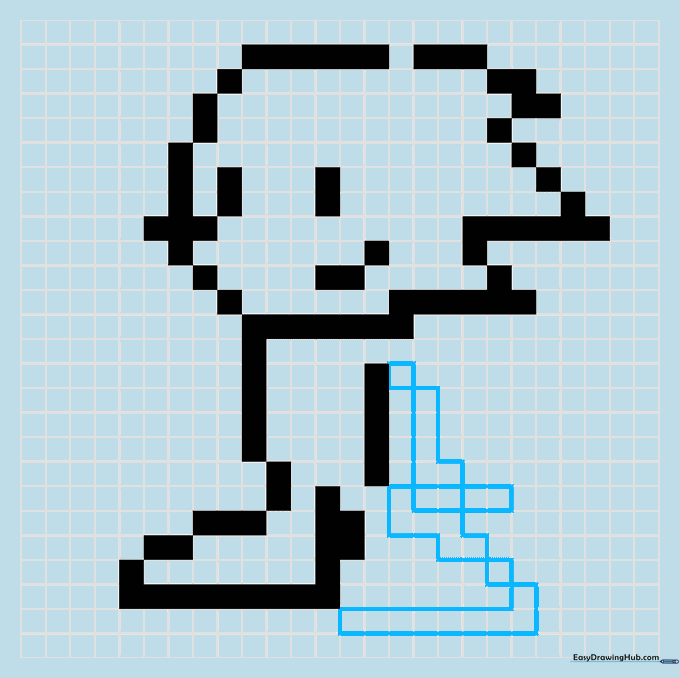
Draw the back of the body and the second foot. You will notice some overlapping segments; leave these gaps unshaded to create depth. Teacher's Tip: The 'gap' technique is a great way to show movement without needing extra colors.
Step 6: Adding the Arms
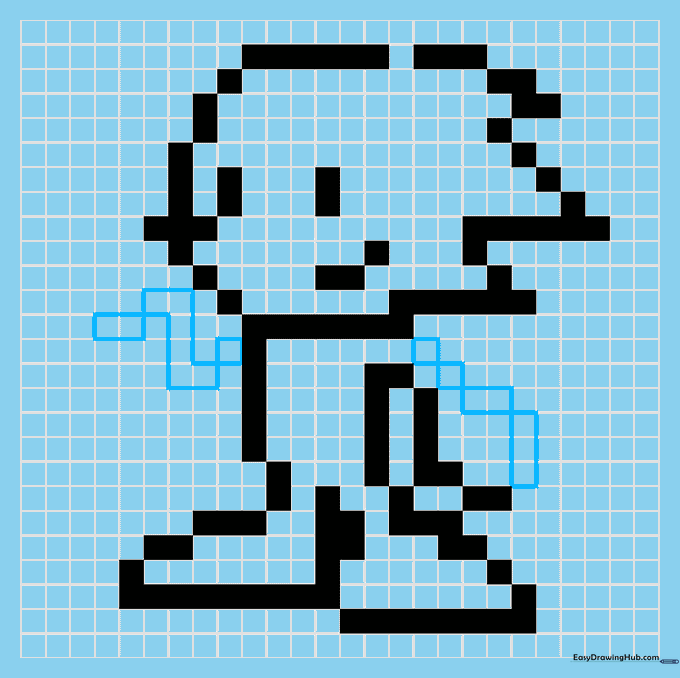
Shade the blocks for the arms, noting the 'Z' shape on one side and the diagonal angle on the other. Teacher's Tip: If your 'Z' shape looks a bit wobbly, check your grid count—pixel art is very forgiving if you just erase and shift by one square.
Step 7: Refining the Face
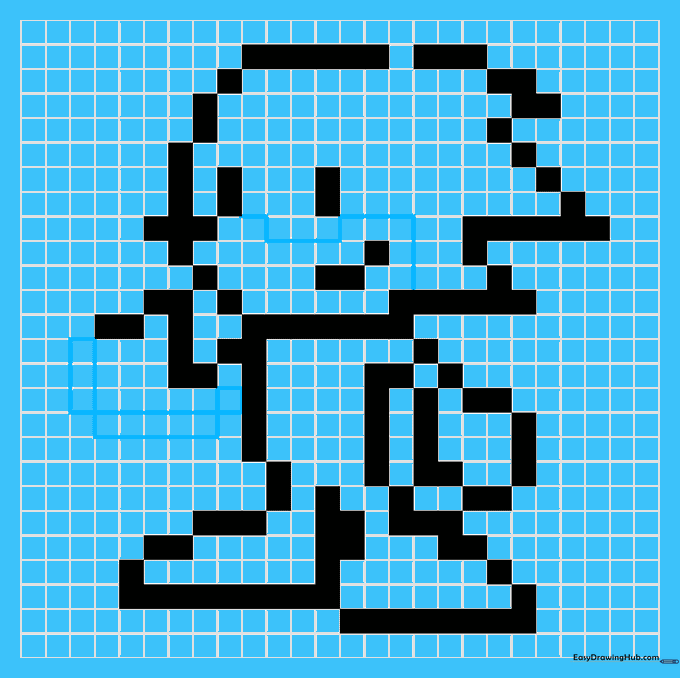
Complete the outstretched arm, then switch to thin lines to trace the edges of the blocks around the mouth. Teacher's Tip: Thin lines represent color changes, so use a lighter touch here to distinguish them from the thick outer border.
Step 8: Final Facial Details
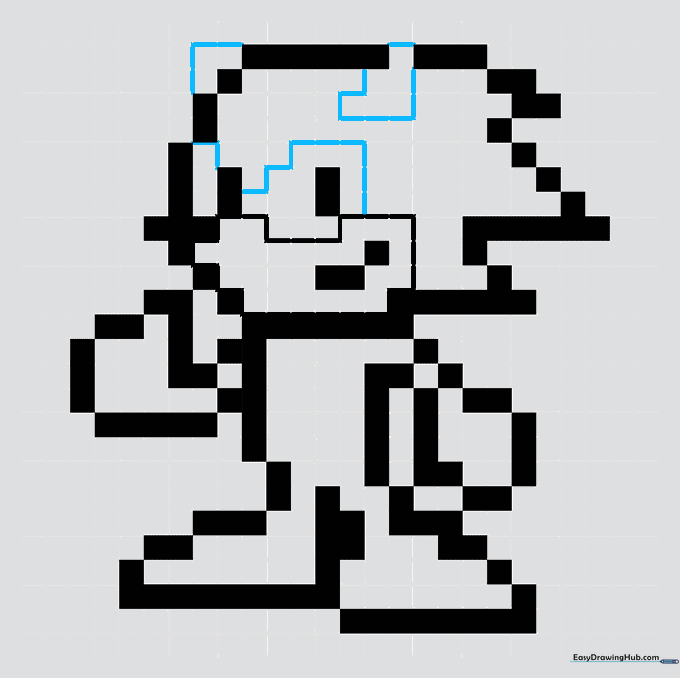
Use thin lines to trace the ears and the whites of the eyes. Teacher's Tip: The eyes are the most important part of Sonic's expression—make sure they are symmetrical to keep him looking like the hero we know!
Step 9: Final Touches
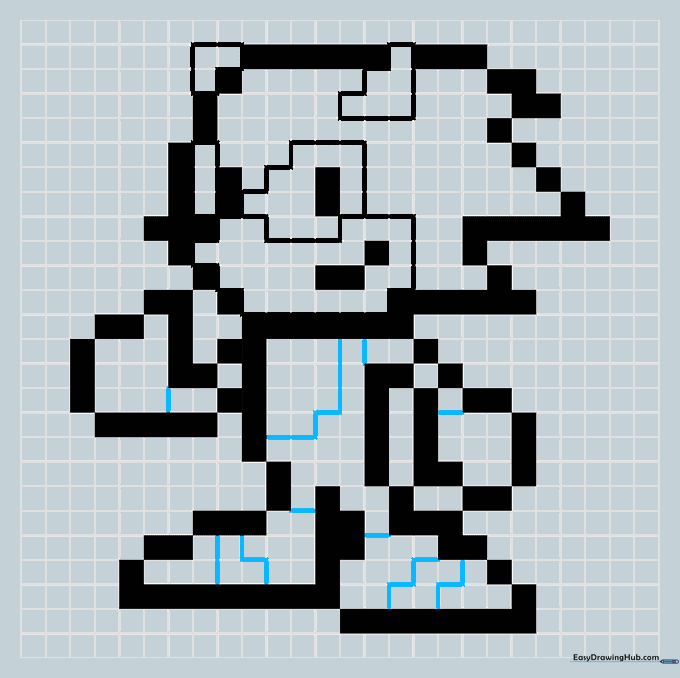
Add small lines to distinguish the gloves, shoe stripes, and belly. Teacher's Tip: These small details add character. Use a sharp pencil to keep these lines clean and distinct from the main outline.
Step 10: Bring Sonic to Life with Color
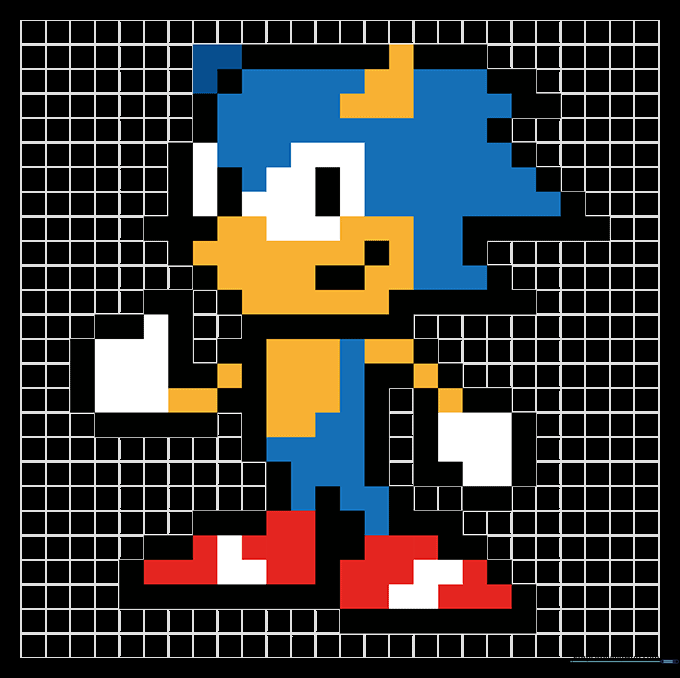
Color your masterpiece! Use vibrant blue for his fur, yellow/orange for the snout and belly, white for the gloves, and bright red for his shoes. Teacher's Tip: Use light, even strokes to fill the squares completely without going over the lines.
More Tutorials


