How to Draw Donkey Kong Pixel Art: Easy Grid Guide
Bring your favorite video game icon to life using simple grid-based pixel art! This tutorial is designed for young artists and beginners, requiring only graph paper, a pencil, and colored markers. Follow these steps to master spatial awareness while creating a retro-style Donkey Kong.
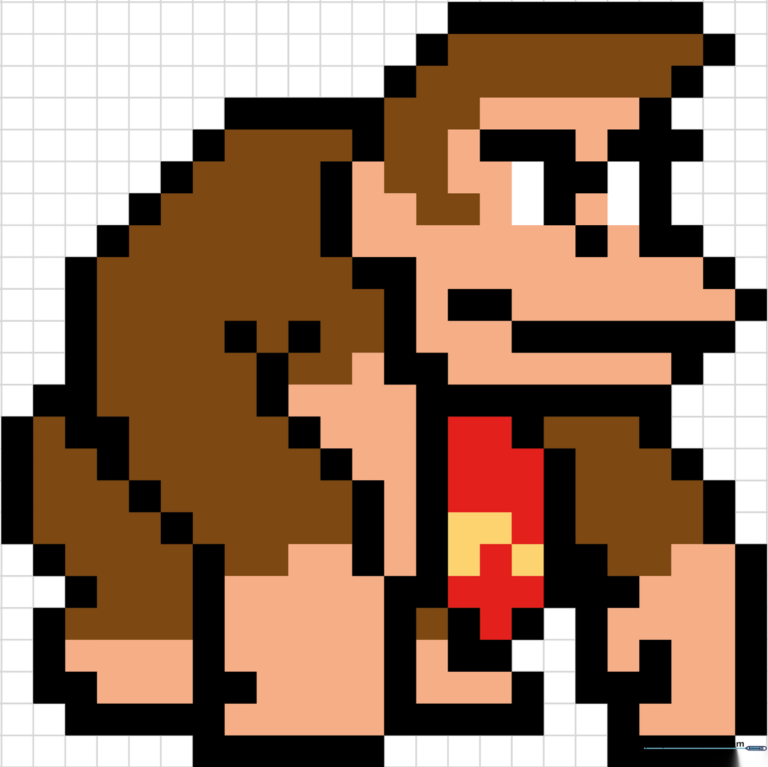
🎯 Final Result
Step-by-Step Instructions
Step 1: Establishing the Top Outline
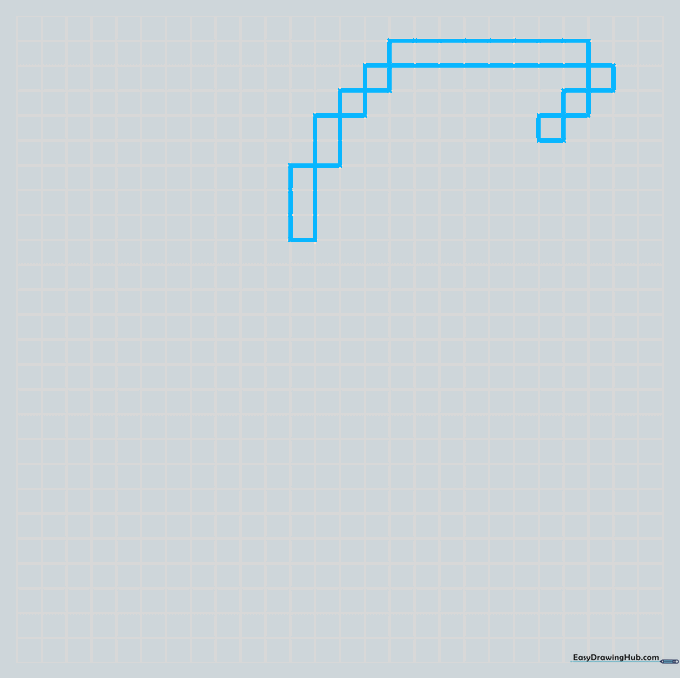
Start by mapping out the top of the head using a wide rectangle. Add two squares on the left in a diagonal line, and three on the right. Teacher's Tip: Use a light pencil touch so you can easily adjust your grid count if you misplace a square.
Step 2: Defining the Facial Structure
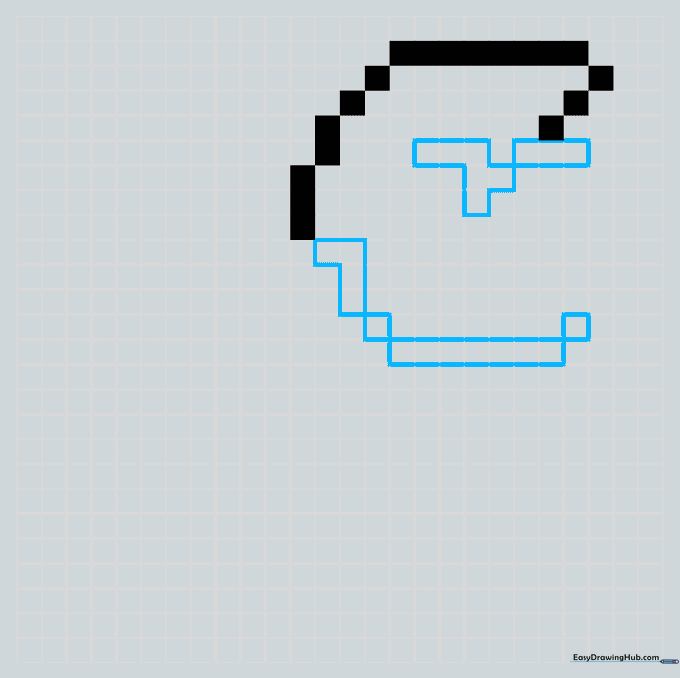
Fill in your top squares with black. On the left side, create an upside-down L-shape followed by a square and a rectangle. Teacher's Tip: Pixel art is all about counting; double-check that your shapes align with the grid lines before coloring them in.
Step 3: Adding the Nose and Mouth
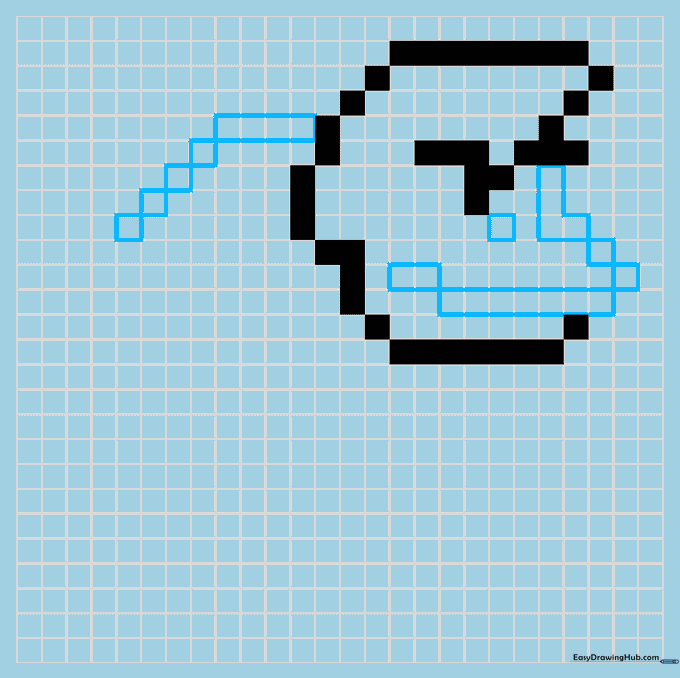
Extend a rectangle from the left and add four diagonal squares. On the right, form an L-shape to complete the head outline. Add two rectangles for the mouth and a single square for the nose. Teacher's Tip: Keep your pencil lines thin so the marker colors pop later.
Step 4: Sketching the Torso
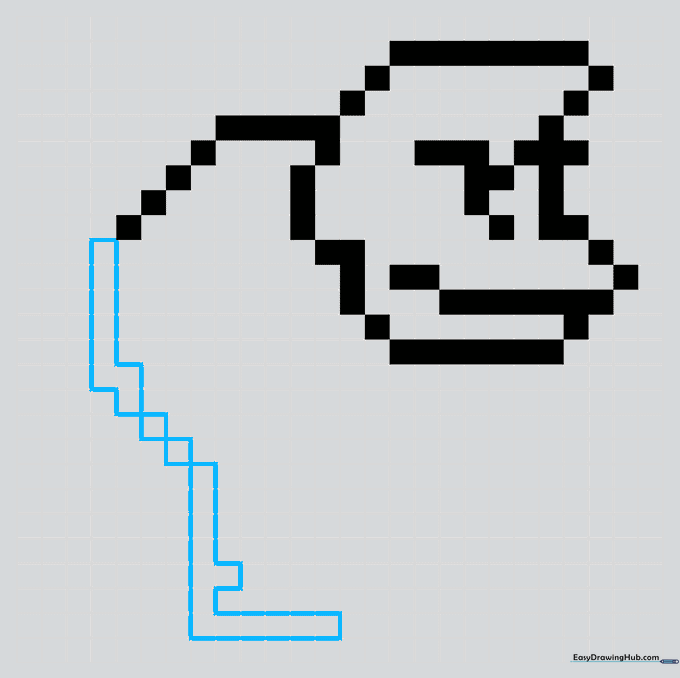
Sketch a long rectangle on the left, creating a staircase-like effect with your squares. Add two squares and a stretched-out L-shape. Teacher's Tip: If you make a mistake, use a kneaded eraser to lift the graphite without damaging the paper fibers.
Step 5: Forming the Arms
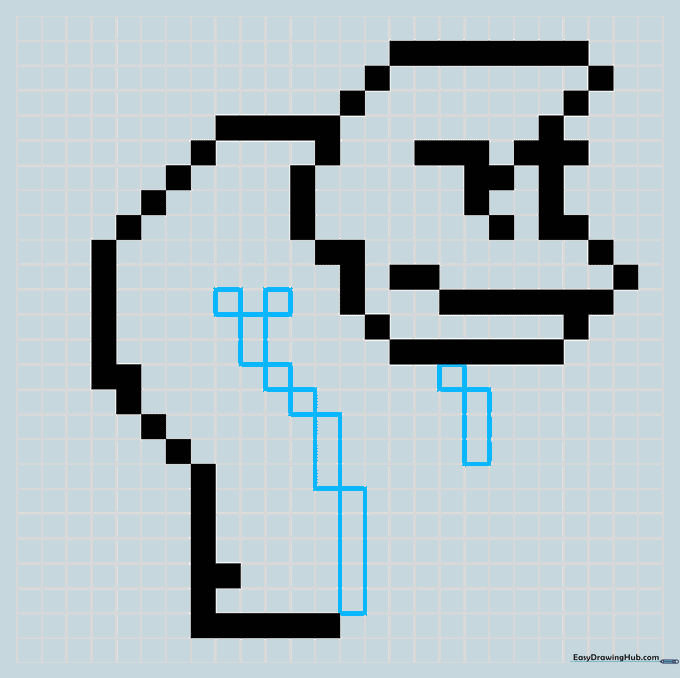
Create two upward-pointing rectangles. Add two squares and a rectangle with two squares on top to form a Y-shape. This creates the muscular arm structure. Teacher's Tip: Focus on the negative space between the arm and body to ensure your proportions stay accurate.
Step 6: Constructing the Legs
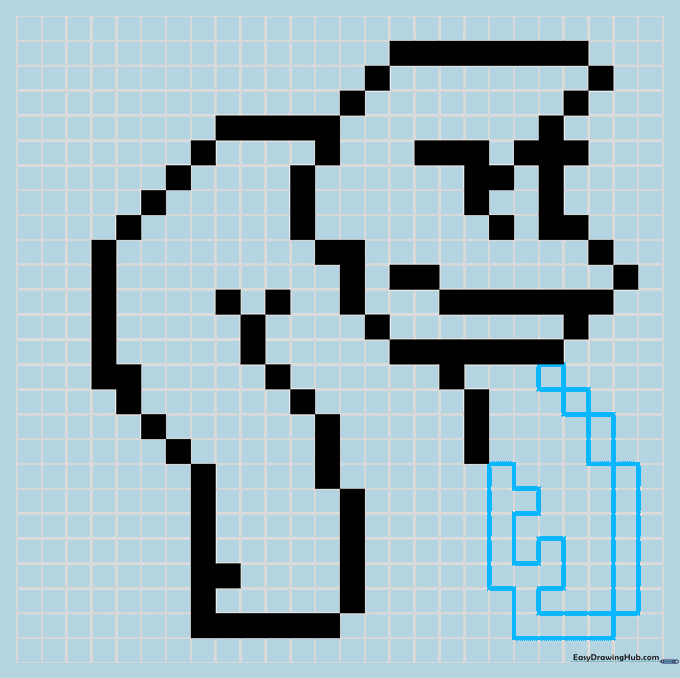
For the right leg, use two squares and a short rectangle. Add a longer vertical rectangle and round it off with a horizontal one. Teacher's Tip: Use a ruler if you struggle to keep your rectangles straight—it helps build confidence in your linework.
Step 7: Refining the Body
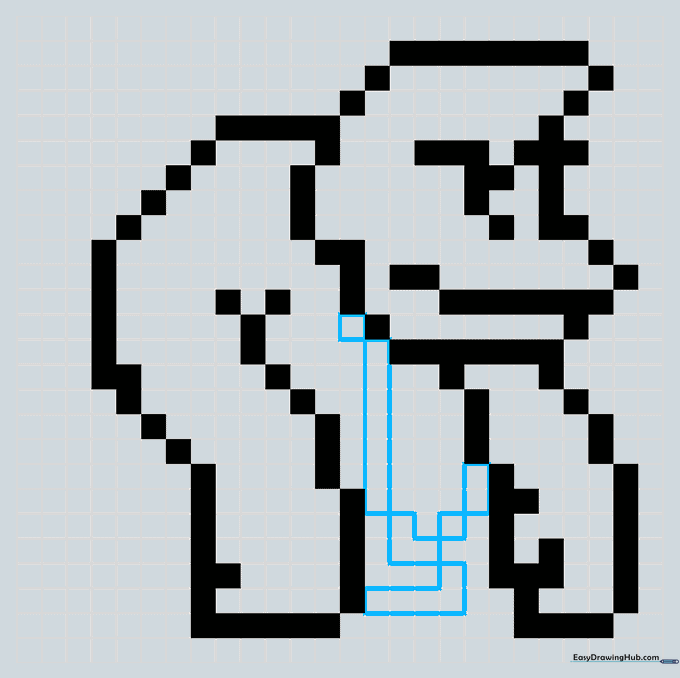
Add a long vertical rectangle in the center of the torso. Draw a short L-shape with a longer one underneath. Complete the body with a square and a rectangle on the right. Teacher's Tip: Check your symmetry—pixel art looks best when the left and right sides feel balanced.
Step 8: Adding Facial Details
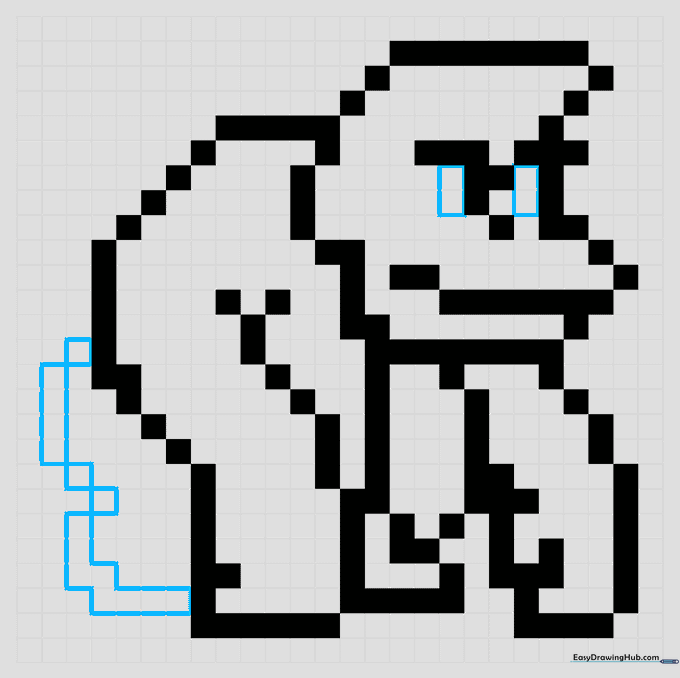
Sketch two rectangles for the eyes. Add a square and rectangle on the left side of the body, then a zig-zag pattern. Teacher's Tip: The eyes are the most important part for expression; make sure they are placed exactly as shown to capture his character.
Step 9: Finalizing the Outline
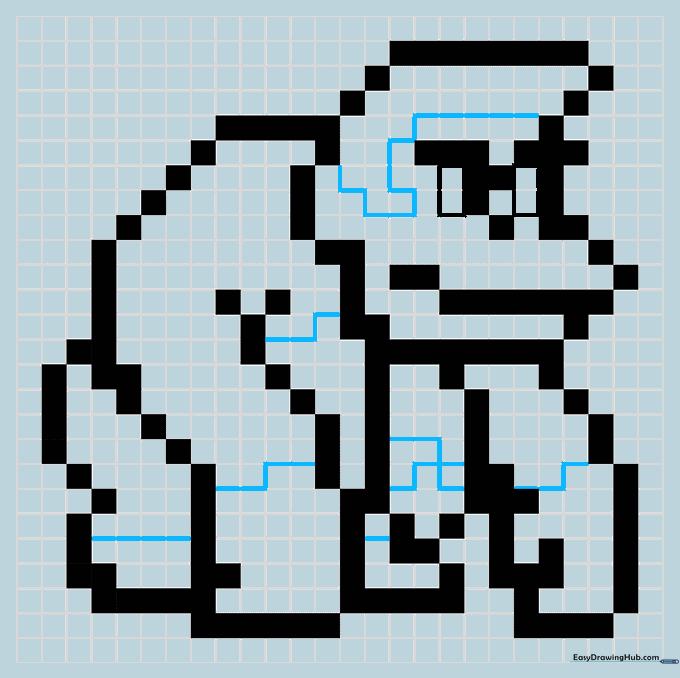
Use thin lines to outline the eyes and define sections across the body. These lines act as boundaries for your coloring phase. Teacher's Tip: Use a fine-liner pen for this step to make the grid lines look crisp and professional.
Step 10: Bringing Him to Life with Color
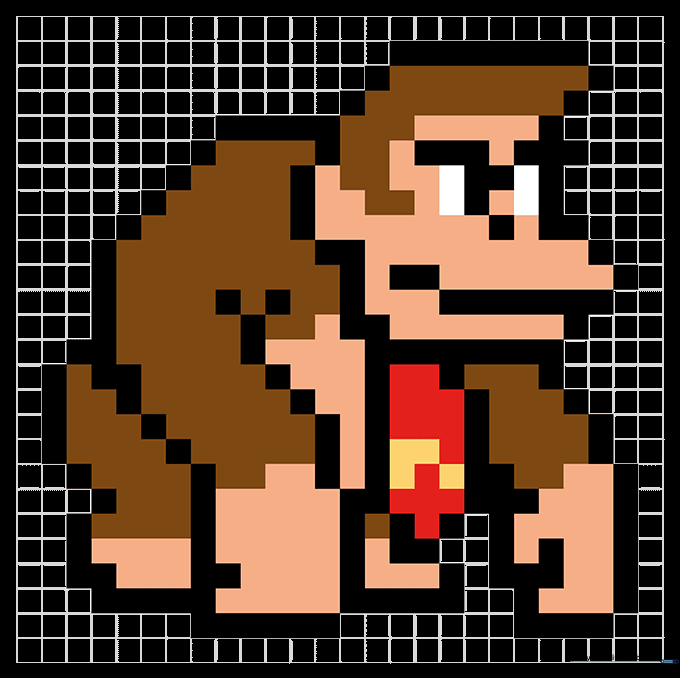
Fill in the blocks with color! Use dark brown for the fur, tan for the skin, and bright red and yellow for his iconic tie. Leave the eyes white. Teacher's Tip: Use alcohol-based markers for a smooth, solid fill that mimics a digital screen.
More Tutorials


