How to Draw a Rose Pixel Art: Easy Step-by-Step Guide
Looking for a fun, screen-free way to practice digital art concepts on paper? This pixel art rose tutorial is perfect for artists of all ages to build fine motor skills and patience. All you need is a piece of graph paper, a pencil, and your favorite colored markers to bring this floral design to life.
🎯 Final Result

Step-by-Step Instructions
Step 1: Outlining the Top Petal

Start by outlining the top curve of the rose petal. Use a sequence of one to four blocks. Teacher's Tip: Keep your pencil light here; it helps to count the squares out loud as you go to ensure symmetry.
Step 2: Forming the Petal Base

Outline the second petal by connecting blocks at diagonal angles. Your outline should now look like a rounded 'W'. Teacher's Tip: Focus on the negative space between the blocks to get the curve just right.
Step 3: Adding Inner Petal Detail
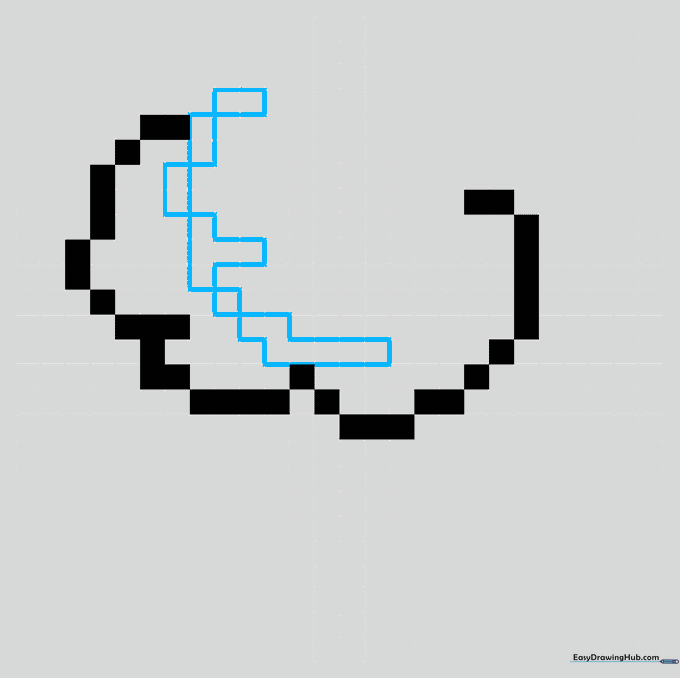
Draw a smaller petal inside the first one using Z and T-shaped block patterns. Teacher's Tip: This adds depth to your flower, making it look more realistic despite the blocky style.
Step 4: Defining the Rosebud
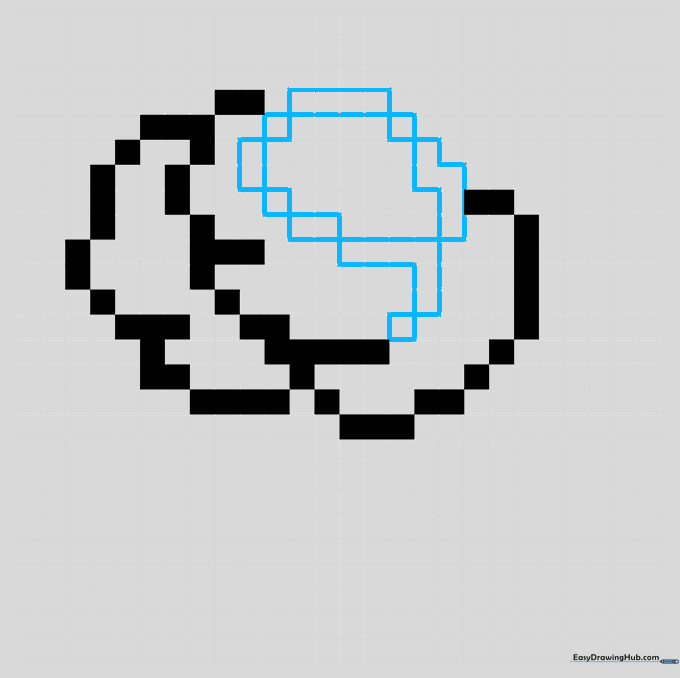
Outline the circular center of the rosebud using L and Z-shaped segments. Teacher's Tip: Ensure the bud is centered so the flower looks balanced when you add the stem later.
Step 5: Adding Outer Petals and Shading
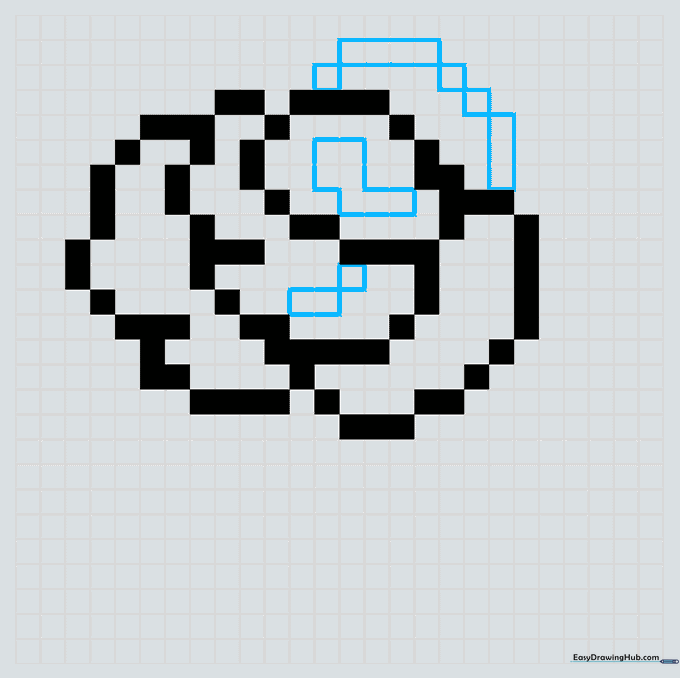
Add an outer petal and shade a Z-shape in the center for depth. Teacher's Tip: Shading is the secret to making pixel art look 3D; don't skip these small blocks!
Step 6: Starting the Stem
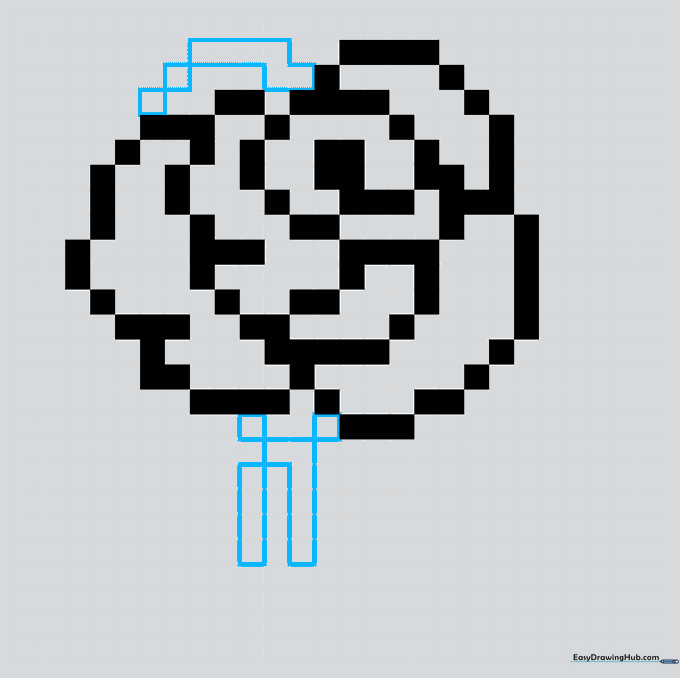
Outline the top petal and begin the stem with two vertical segments. Teacher's Tip: Keep the stem segments parallel to ensure the flower looks like it's growing straight.
Step 7: Extending the Stem and Leaf
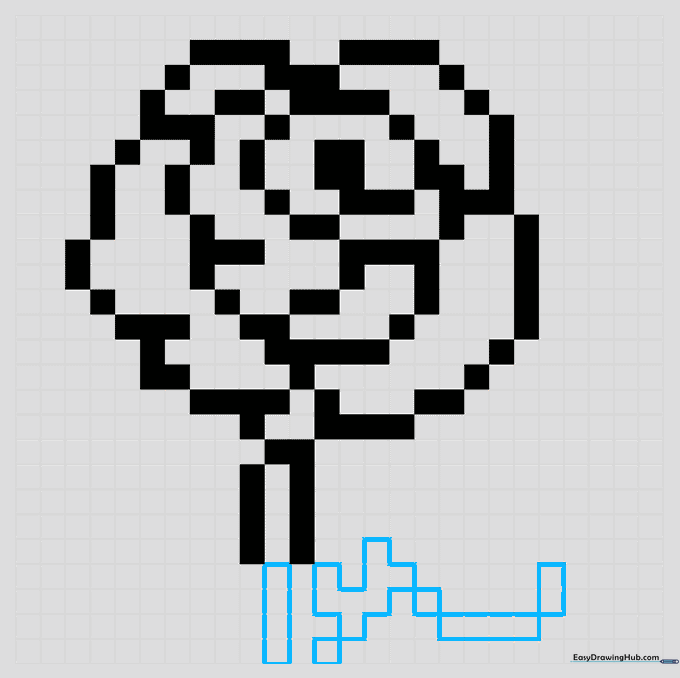
Continue the stem downwards and outline the leaf shape. Teacher's Tip: Use a series of single blocks to create the serrated edge of the leaf.
Step 8: Adding Sepals
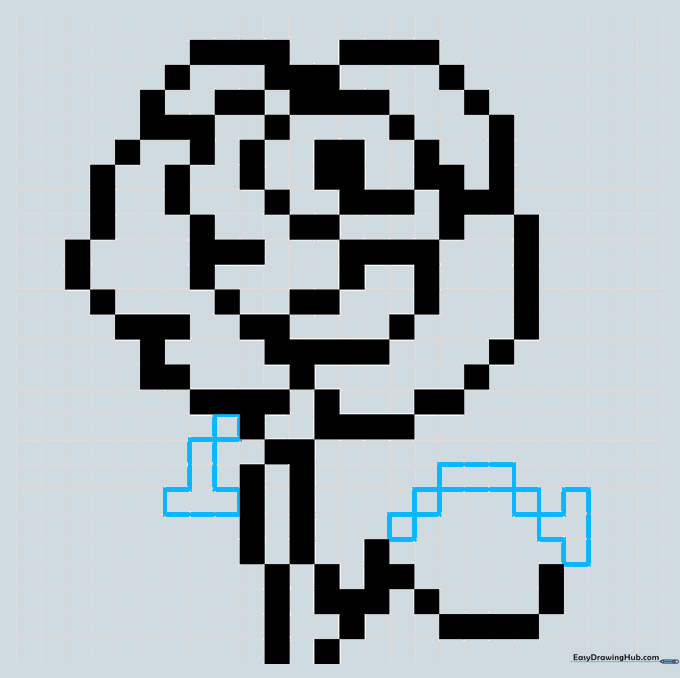
Outline the top of the leaf and add the sepals (the small leaves at the base of the flower). Teacher's Tip: Sepals are small, so take your time with these individual blocks.
Step 9: Final Details and Depth
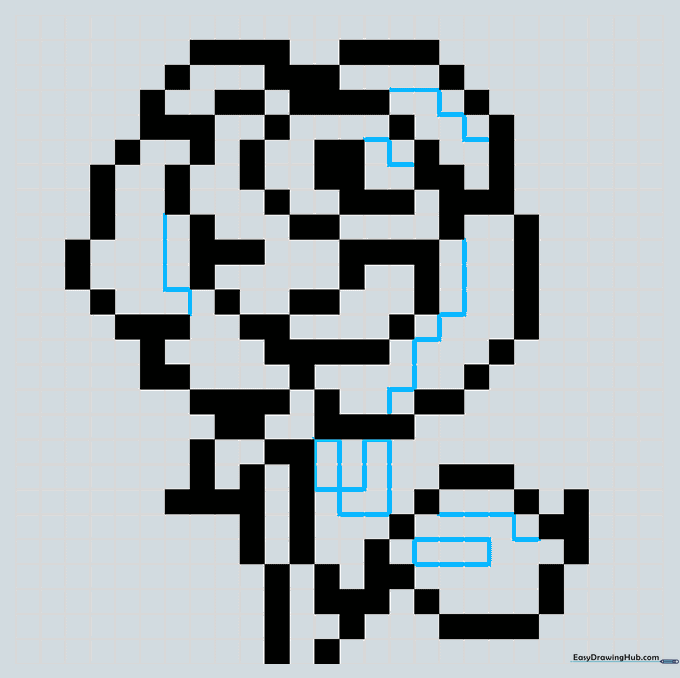
Add the leaf vein and refine the sepals. Draw narrow lines along the edges for color variation. Teacher's Tip: These thin lines act as highlights, making your rose pop!
Step 10: Bring Your Rose to Life with Color
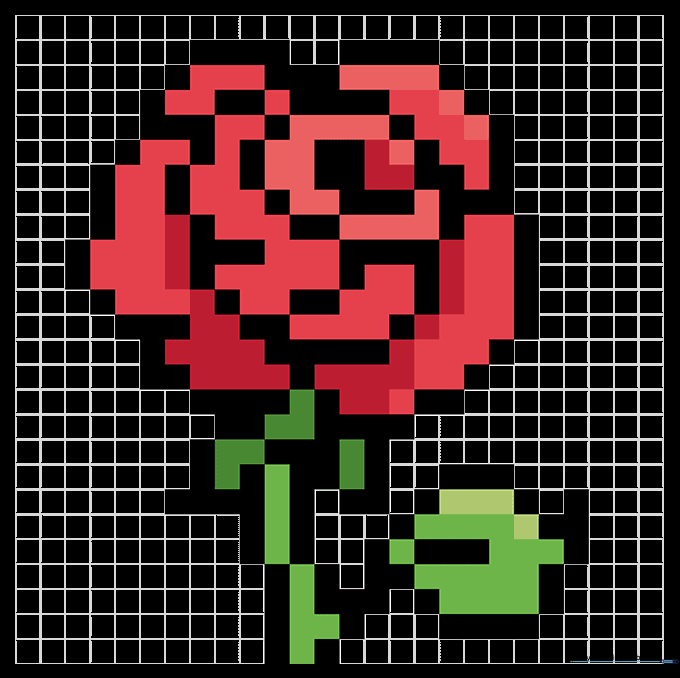
Fill in your rose with red for the petals and green for the stem and leaves. Teacher's Tip: Use a darker shade of red for the inner petals to create a beautiful, realistic shadow effect.
More Tutorials


