How to Draw Mountain Pixel Art: Easy 10-Step Guide
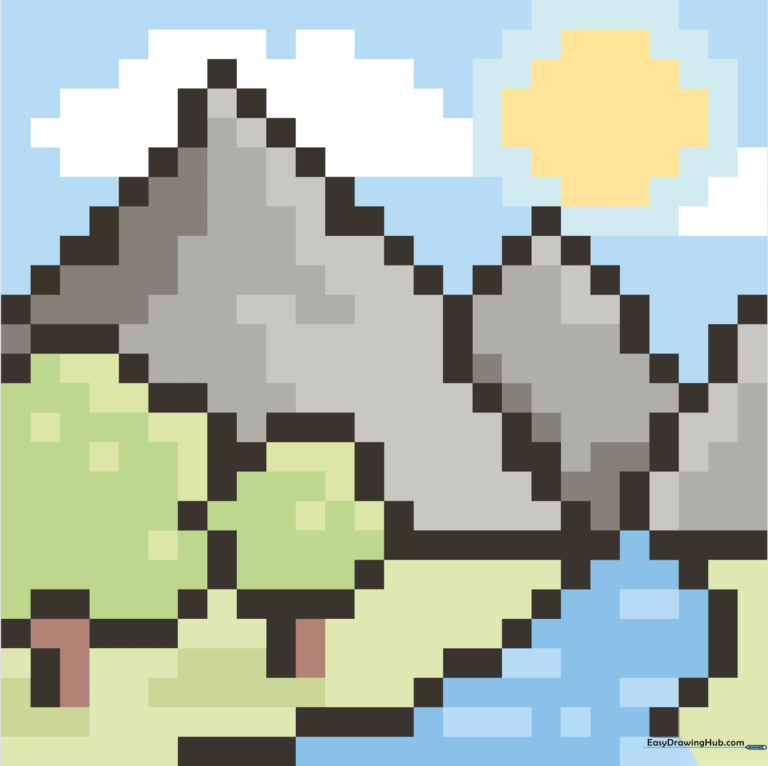
Create your own retro landscape with this beginner-friendly pixel art tutorial. Designed for ages 6+, this activity uses a simple grid to help you master proportions and spatial planning. All you need is a piece of graph paper and your favorite colored markers or pencils.
🎯 Final Result
Step-by-Step Instructions
Step 1: Mapping the River
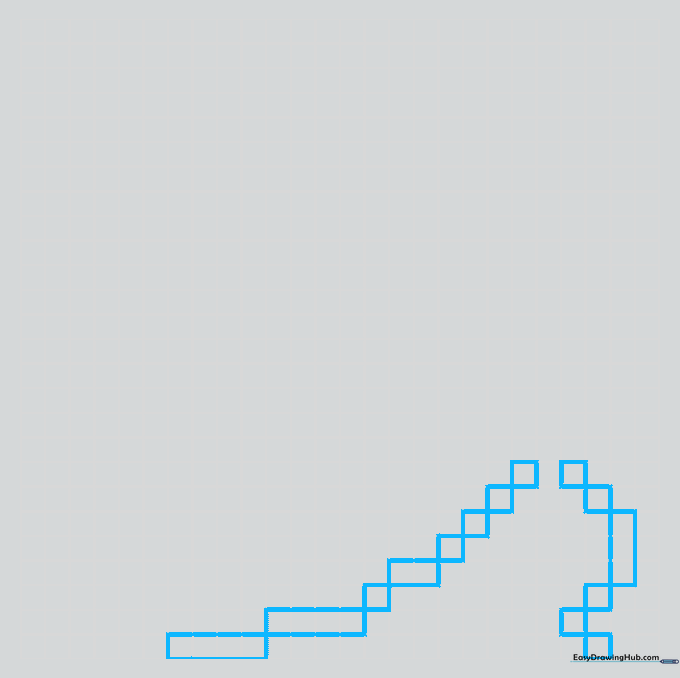
Start by sketching the river on your grid. Use single squares connected diagonally to create a flowing path. Teacher's Tip: Keep your pencil light; if you make a mistake, it’s much easier to erase on graph paper if you haven't pressed down hard.
Step 2: Adding the First Tree
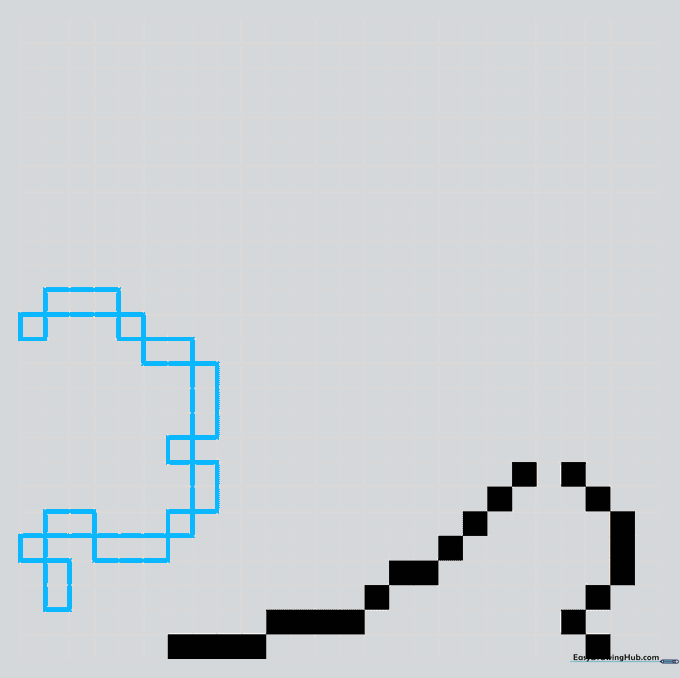
Sketch your first tree using a cluster of squares for the crown and a vertical line for the trunk. Teacher's Tip: Pixel art is all about grouping. Try to visualize the tree as a rounded shape made of blocks before you start shading.
Step 3: Creating Depth and Horizon
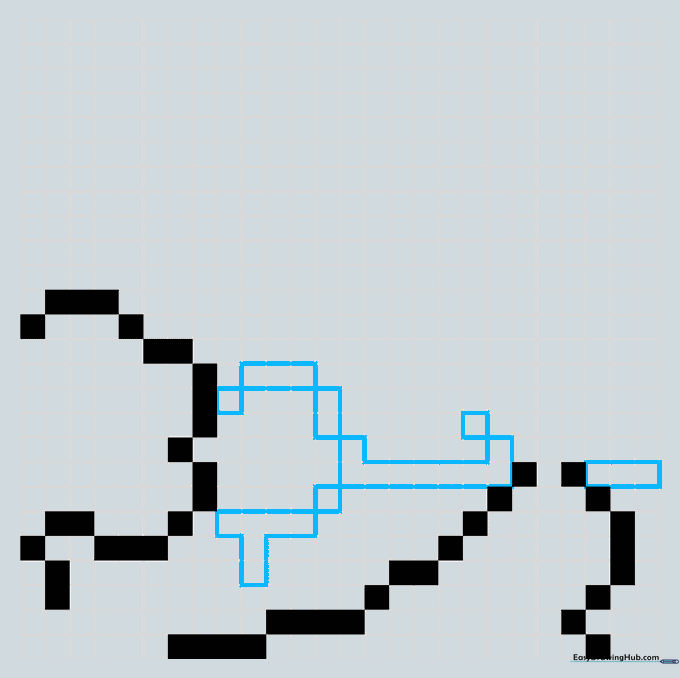
Draw a smaller tree further away to show perspective, then add a horizontal line to define the base of your mountains. Teacher's Tip: In art, smaller objects look further away. Use this trick to make your landscape look 3D!
Step 4: Sketching the Main Mountain
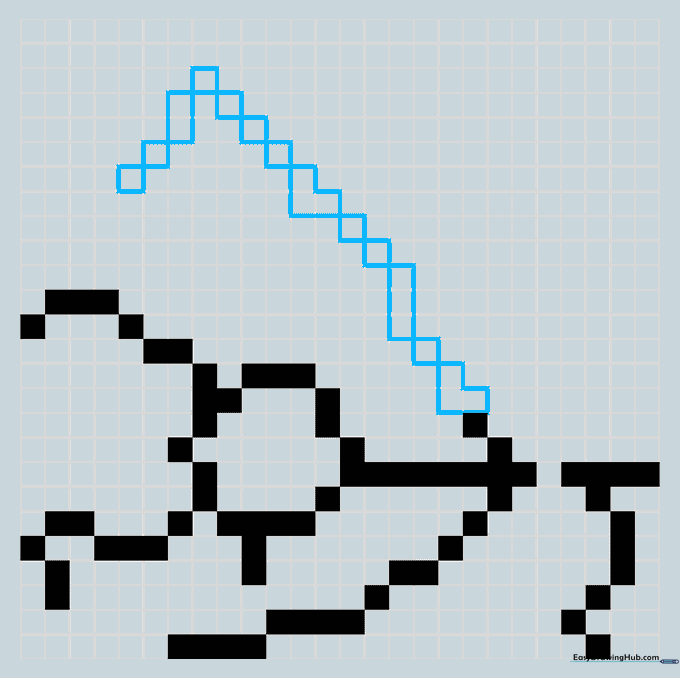
Build the large mountain using diagonal square connections. Mix in 'V' shapes to give the slopes a rugged, natural look. Teacher's Tip: Don't make the mountain too symmetrical; nature is rarely perfectly even!
Step 5: Defining the Mountain Range
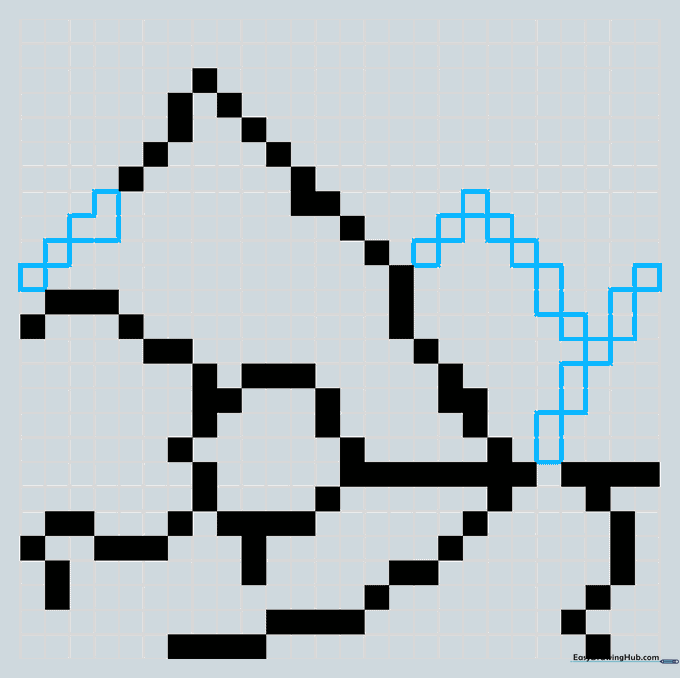
Complete your main peak and add two smaller mountains behind it. Use the same diagonal square technique to maintain consistency. Teacher's Tip: Keep your lines clean so the shapes remain recognizable as pixels.
Step 6: Adding the Sun and Clouds
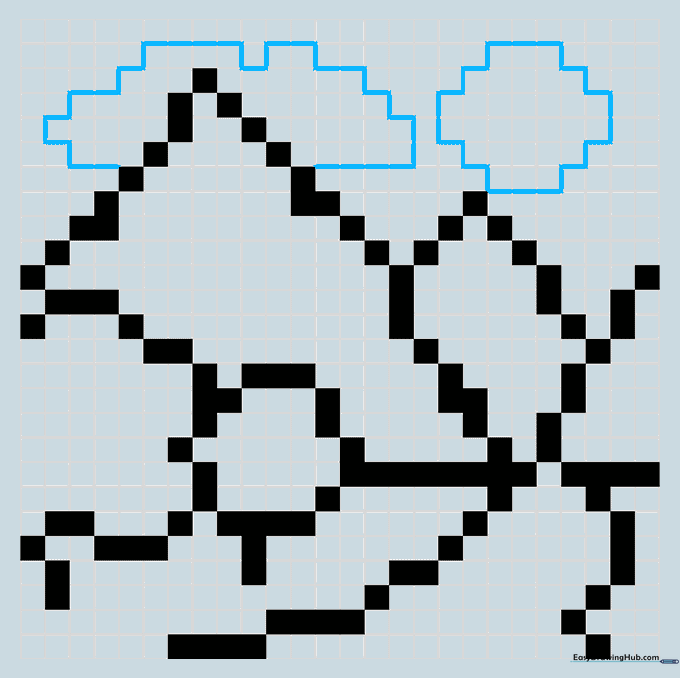
Draw a circular sun and a fluffy cloud using thin outlines around the grid squares. Teacher's Tip: To make a circle in pixel art, use a 'staircase' pattern of squares. It’s a great way to practice geometry!
Step 7: Detailing the Mountain
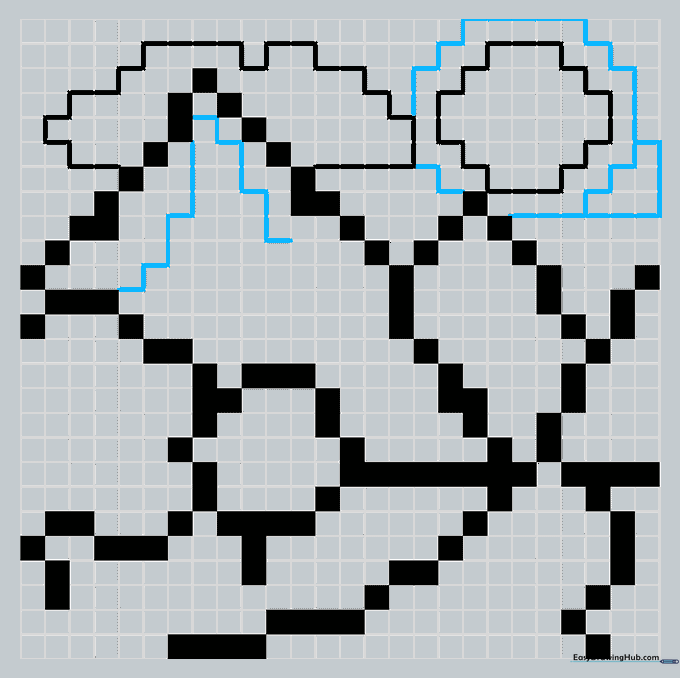
Add depth to your mountain by tracing zigzag lines around the squares. Teacher's Tip: These 'jagged' lines represent rocky textures. Think of them as the mountain's wrinkles!
Step 8: Refining the Trees
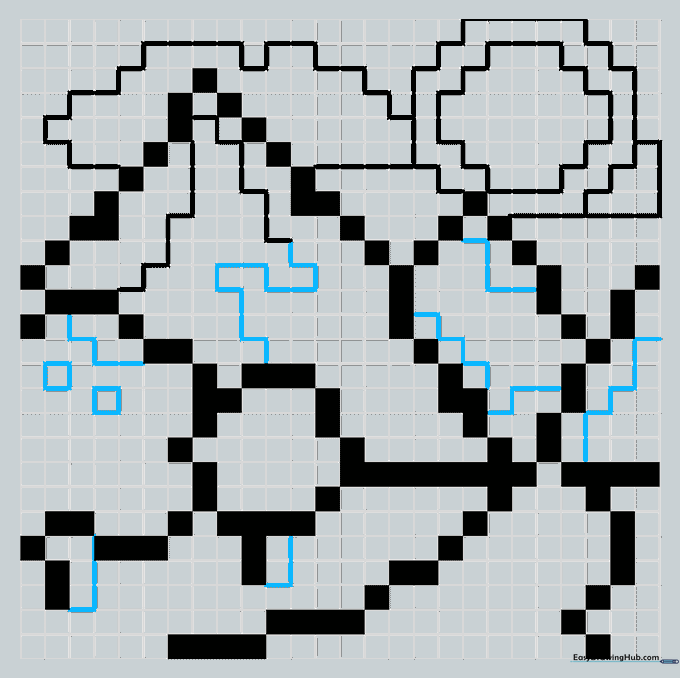
Add 'Z' shaped blocks to the tree crowns to give them a rounded, leafy appearance. Teacher's Tip: Small details like these make your pixel art look much more professional and less 'blocky'.
Step 9: Final Touches
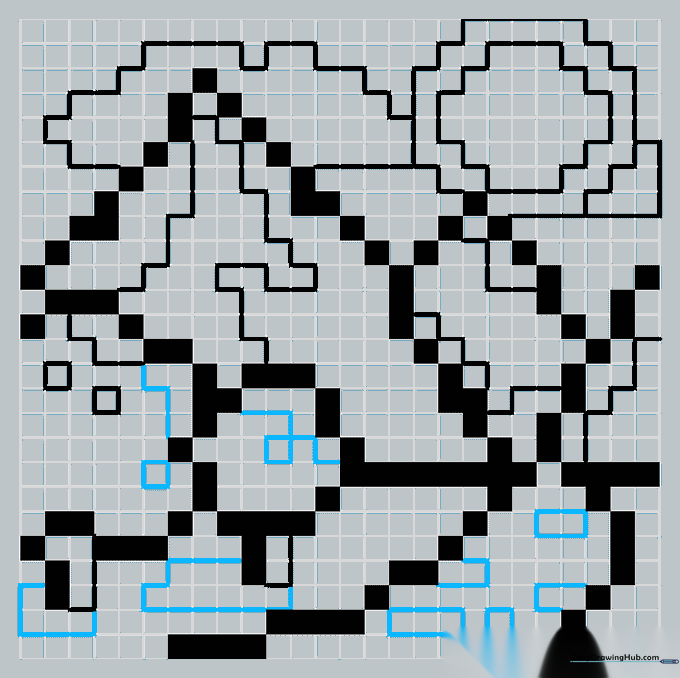
Add shadows beneath the trees and refine the river's flow. Teacher's Tip: Shadows are the secret to making your drawing 'pop' off the page. Use a darker color for these areas.
Step 10: Color Your Masterpiece
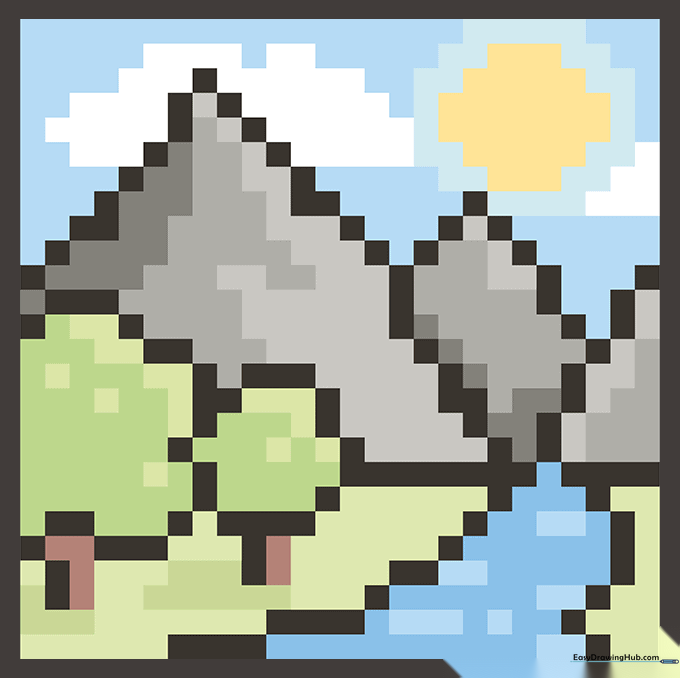
Fill in your grid with colors! Use different shades to distinguish between the water, trees, and mountains. Teacher's Tip: Try using a limited color palette to give your art that authentic 8-bit video game look.
More Tutorials


