How to Draw a Heart Pixel Art: Easy 10-Step Guide
Ready to create some retro-style art? This pixel heart tutorial is perfect for kids and beginners using graph paper or a digital grid. You'll need a pencil, an eraser, and a marker to bring this classic design to life while practicing your counting and spatial awareness skills.
🎯 Final Result
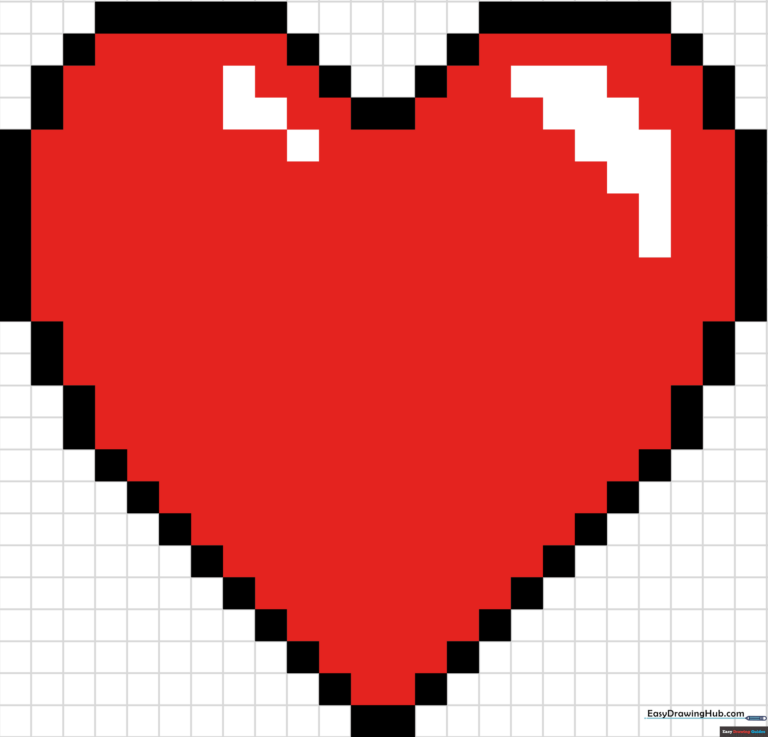
Step-by-Step Instructions
Step 1: Establishing the Top Center
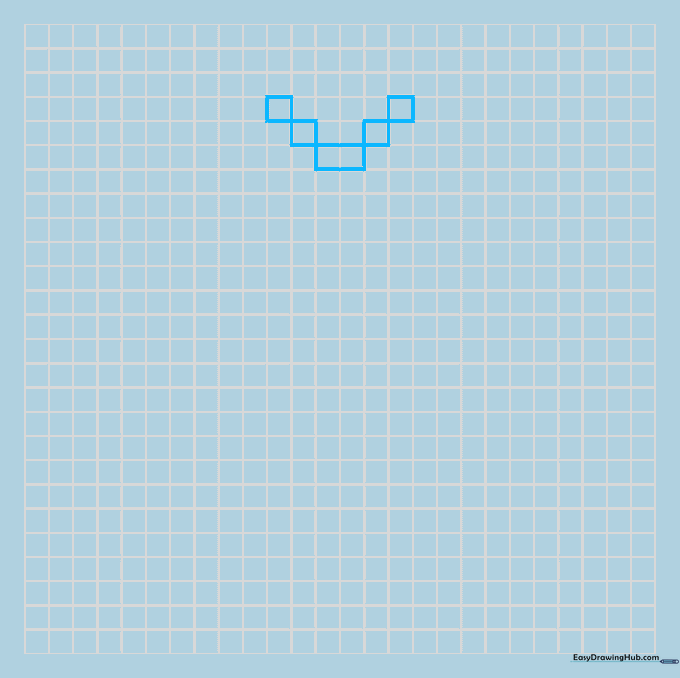
Shade two squares horizontally to start the top dip of your heart. Then, shade one square on each side, connected diagonally at the corners. Tip: Keep your hand steady to ensure the squares align perfectly with the grid lines.
Step 2: Outlining the First Lobe
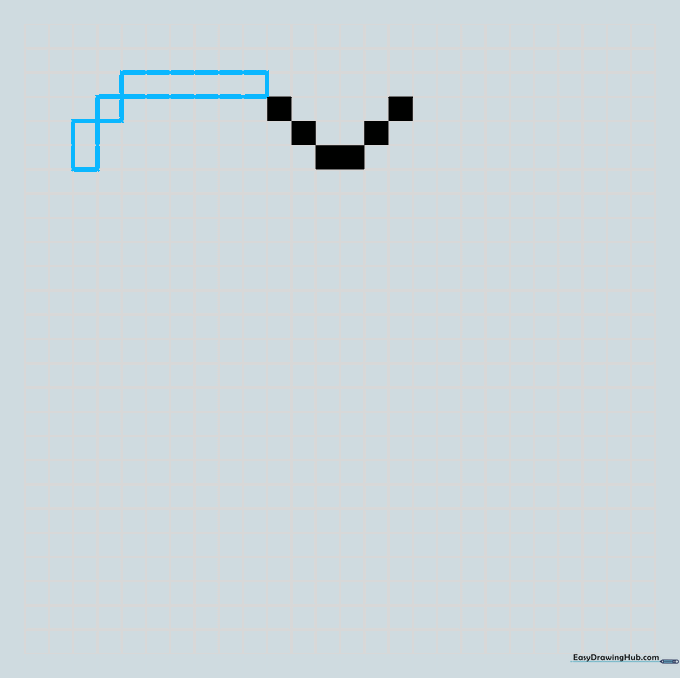
Shade a horizontal series of six blocks at the top, followed by one single block and two vertical blocks. Tip: Count your squares twice before shading to ensure your heart stays symmetrical.
Step 3: Extending the Side
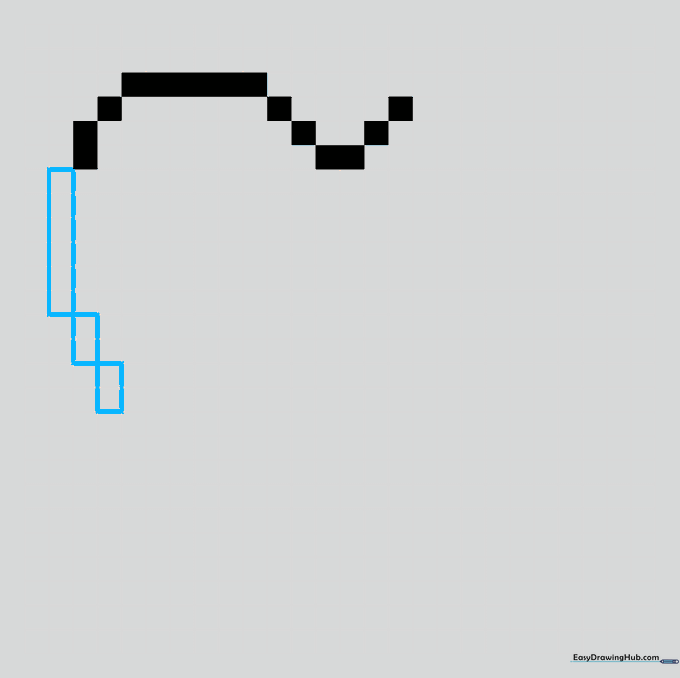
Add a vertical column of six blocks, then two columns of two blocks connected at the corners. Tip: Think of this as building a staircase with your blocks.
Step 4: Creating the Curve
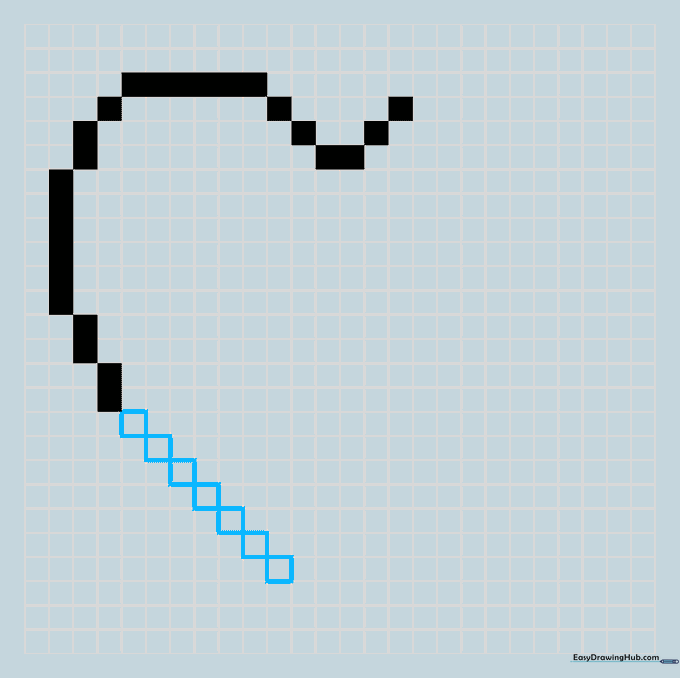
Draw a series of single blocks connected diagonally at the corners to round out the side. Tip: Diagonal connections are the secret to making pixel art look smooth rather than blocky.
Step 5: Forming the Bottom Point
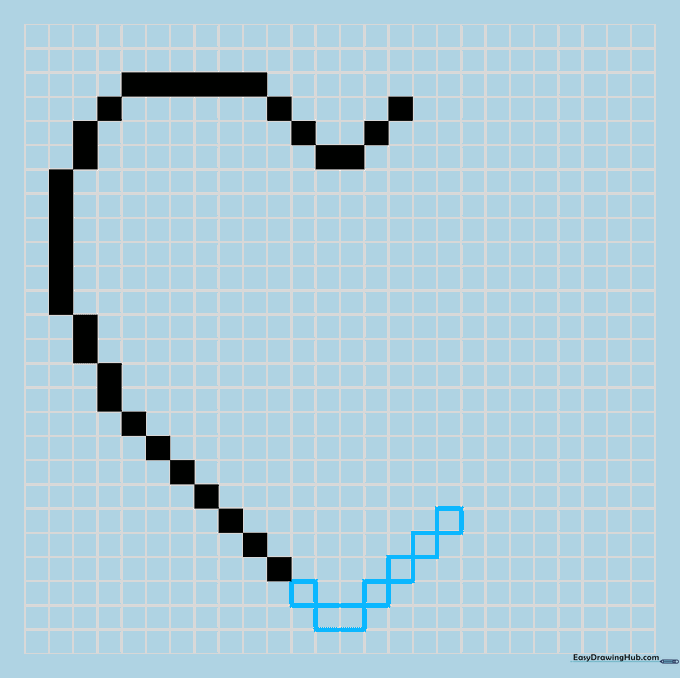
Shade one single square followed by a row of two to create the sharp point at the bottom. Then, begin mirroring the outline on the other side. Tip: The bottom point is the anchor of your drawing; make sure it's centered!
Step 6: Mirroring the Right Side
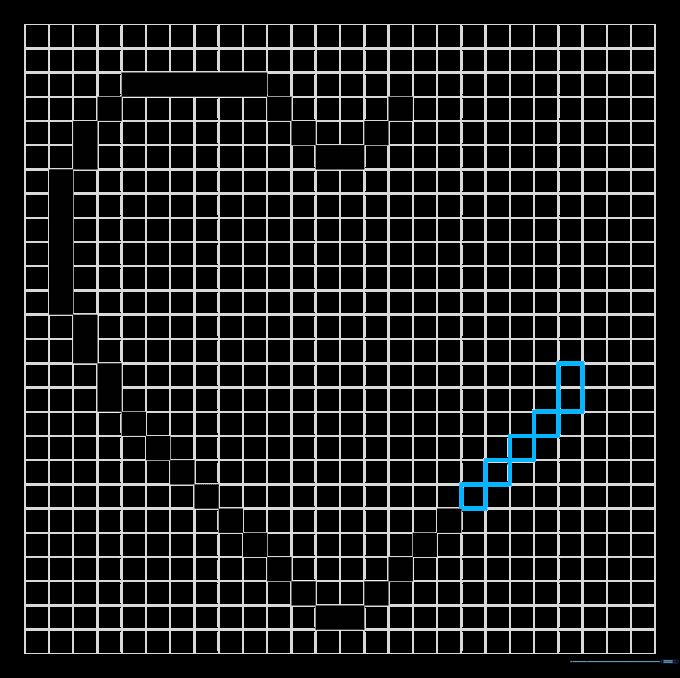
Continue drawing single squares followed by a column of two squares to build up the right side. Tip: Keep checking your progress against the left side to ensure symmetry.
Step 7: Completing the Curve
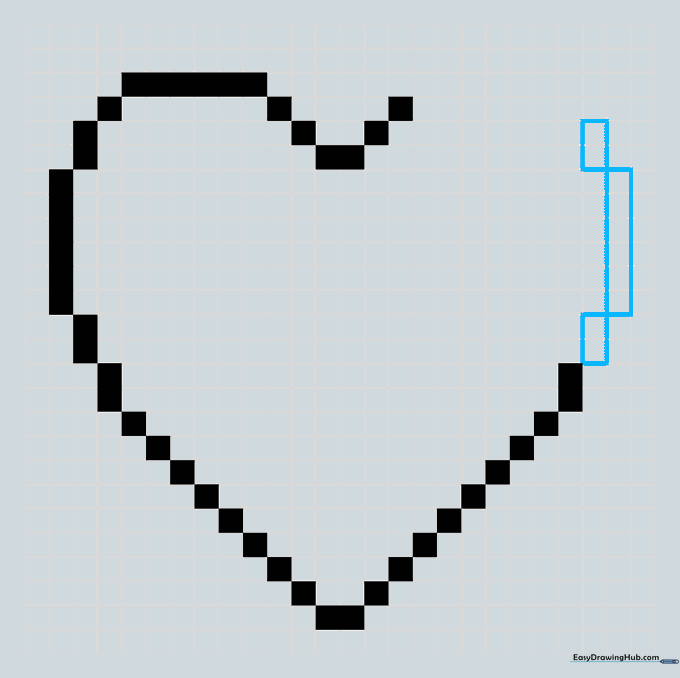
Curve the side by drawing a column of two squares, a column of six, and another of two. Tip: This creates the rounded top of the right lobe.
Step 8: Adding Highlights
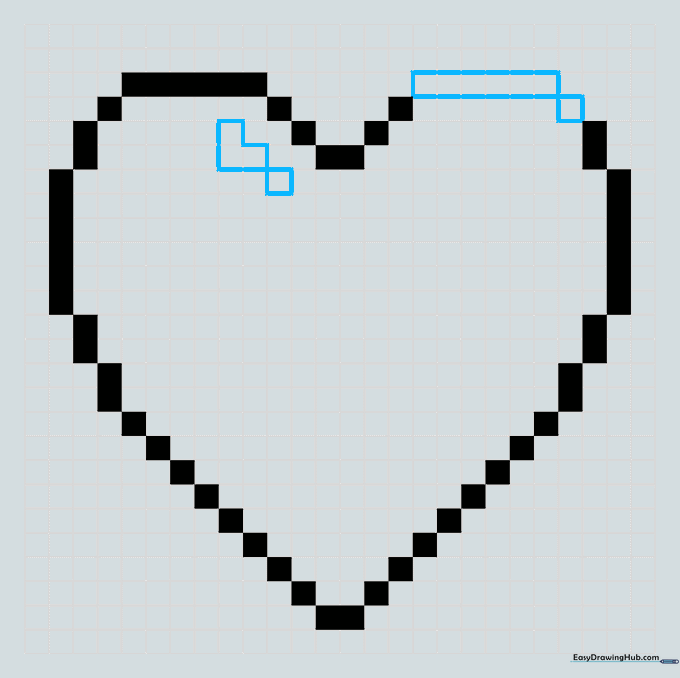
Close the outline with a row of six squares. Then, leave a 'V' shaped segment unshaded on the left lobe to act as a highlight. Tip: Leaving white space creates a 'shine' effect, making your heart look 3D!
Step 9: Refining the Details
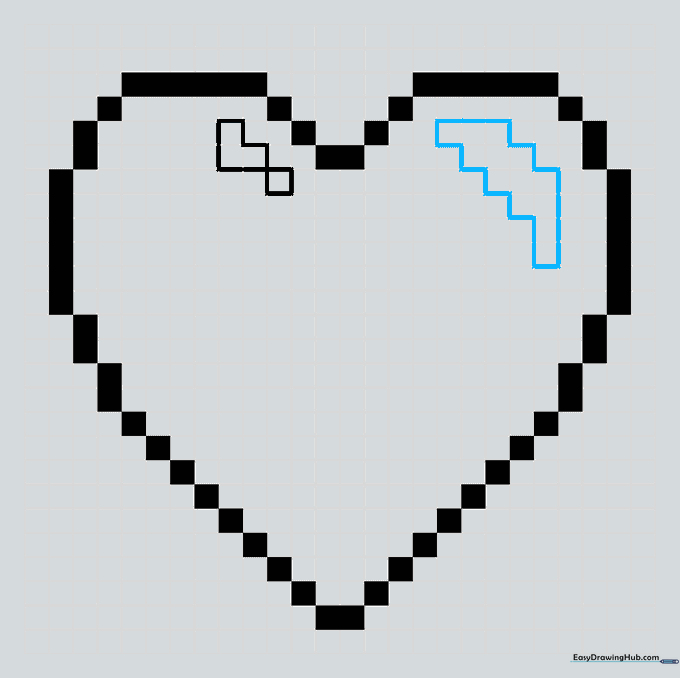
Outline a thick zigzag shape on the right lobe, leaving it unshaded. This adds depth and makes the heart pop. Tip: Don't worry if your zigzag isn't perfect; pixel art is meant to look stylized.
Step 10: Adding Color

Fill in the heart with your favorite shade of red or pink. Leave the highlight areas white. Tip: Use a bold marker for a vibrant look, or colored pencils for a softer, textured finish.
More Tutorials


