How to Draw Girl Pixel Art: Easy 10-Step Grid Guide
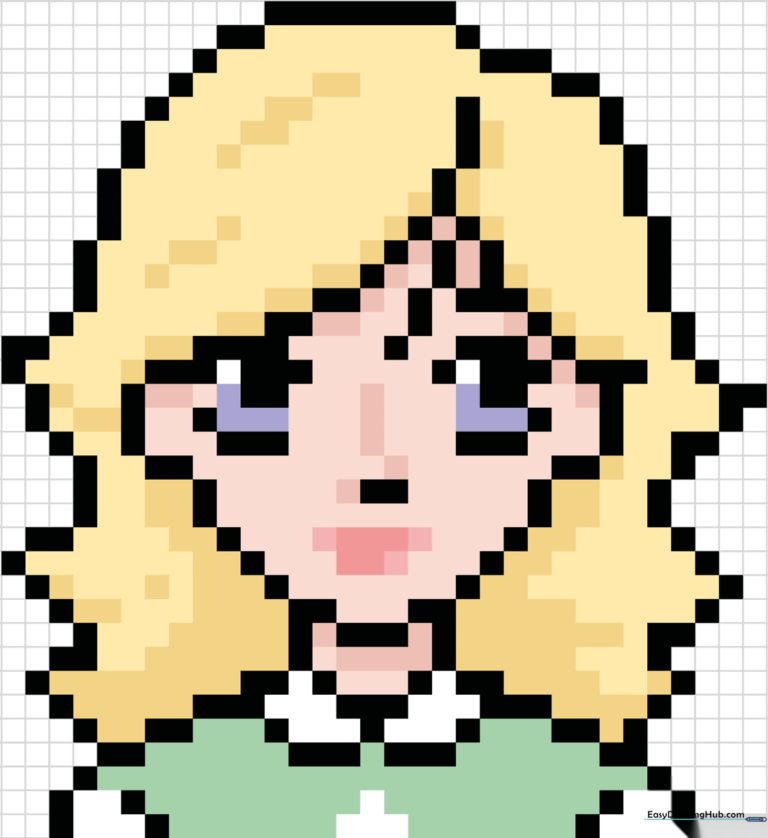
Ready to create your own digital-style character? This pixel art tutorial is perfect for kids and beginners looking to practice precision and pattern recognition using a simple grid. Grab a piece of graph paper and a pencil to get started on this fun, screen-free design challenge.
🎯 Final Result
Step-by-Step Instructions
Step 1: Mapping the Face and Features
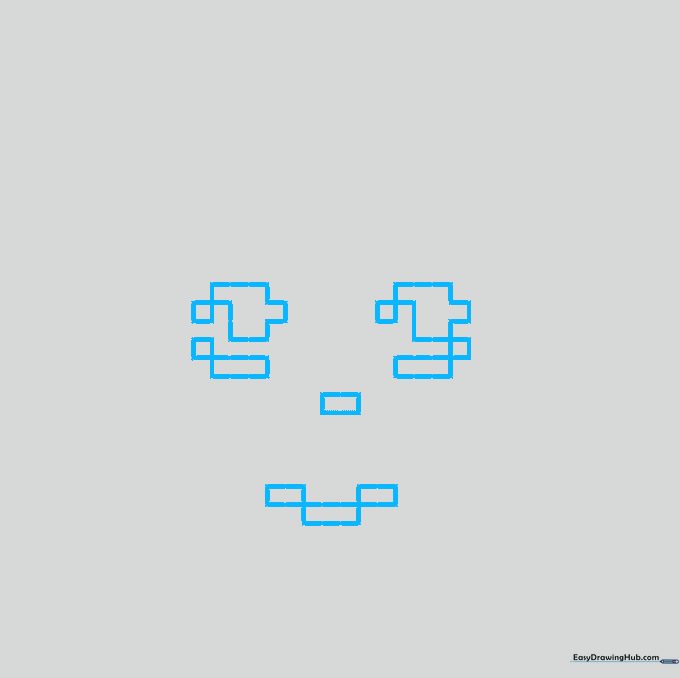
Start by defining the nose and chin using small square blocks on your grid. For the eyes, place single squares for the pupils and larger groupings for the lids. Teacher's Tip: Count your grid squares carefully before shading to ensure your character stays symmetrical!
Step 2: Outlining the Face and Hair Part
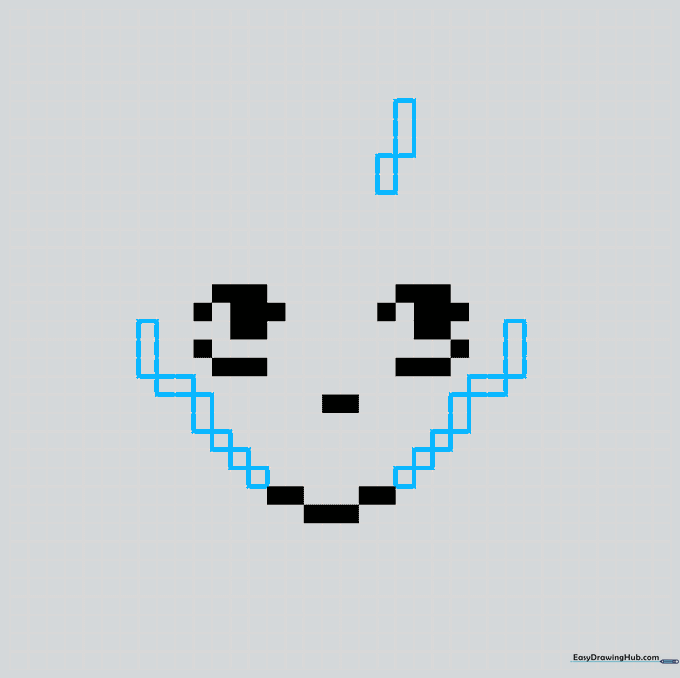
Outline the sides of the face using a mix of single and connected squares. Add vertical columns above the face to mark the hair part. Teacher's Tip: Keep your pencil lines light if you are sketching first, so you can easily erase any miscounted squares.
Step 3: Framing the Hair
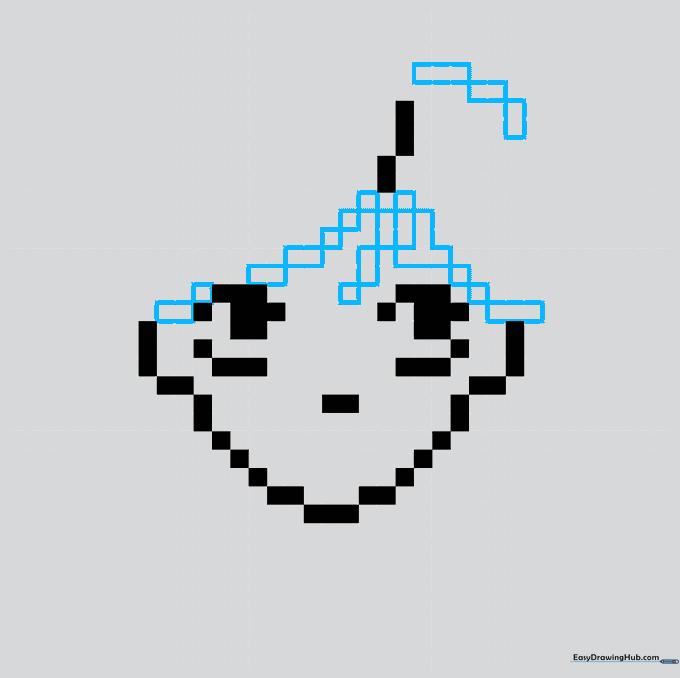
Create the hair frame by shading diagonal lines made of one, two, and three squares. These should travel from the part across the forehead. Teacher's Tip: Think of this like building with blocks; focus on the 'staircase' pattern to get that perfect diagonal look.
Step 4: Adding Wavy Hair Texture
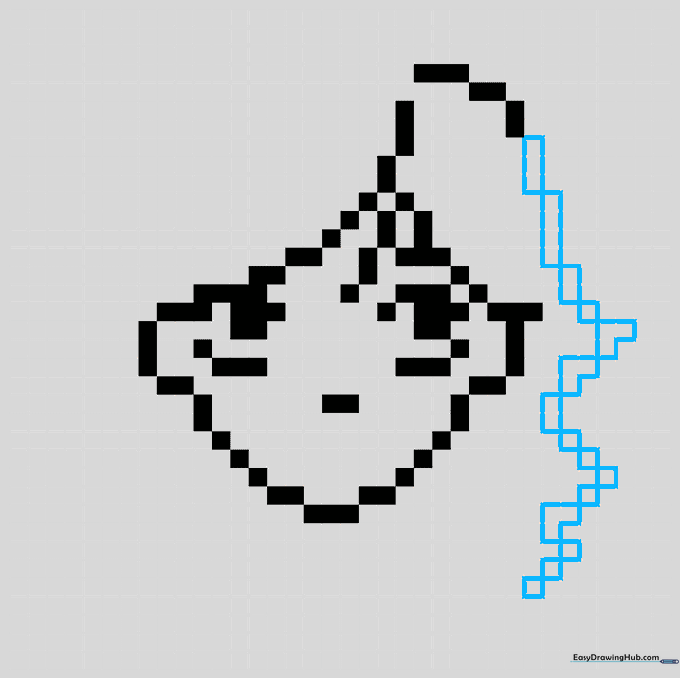
Continue outlining the hair using a combination of long lines and 'V' shaped segments. This creates the illusion of wavy hair. Teacher's Tip: Varying the length of your pixel segments adds character and movement to the drawing.
Step 5: Balancing the Hair
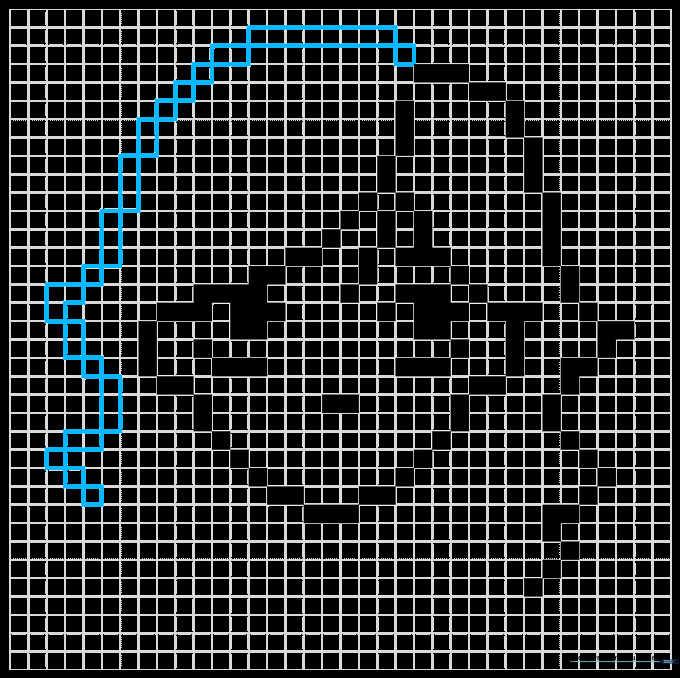
Repeat the process on the opposite side of the head to maintain balance. Ensure the horizontal line at the top of the head is consistent. Teacher's Tip: Check that both sides mirror each other to keep the character looking proportional.
Step 6: Neck and Collar Details
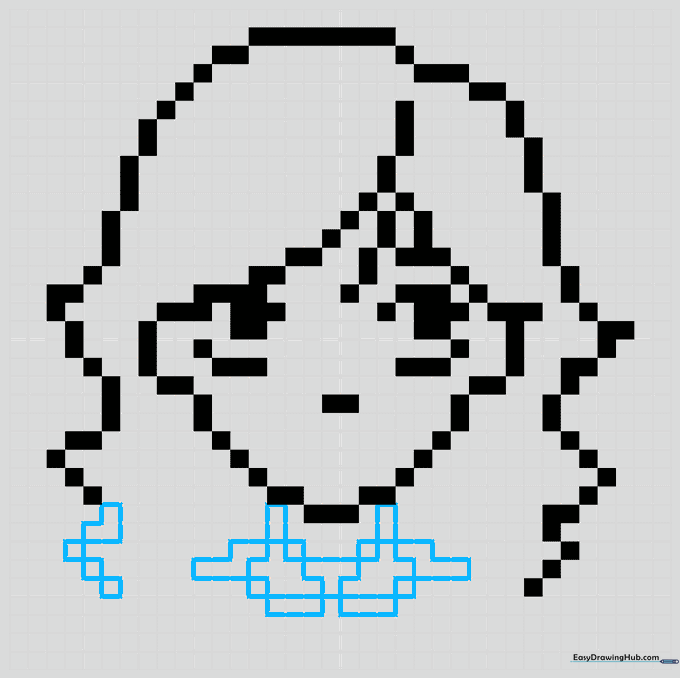
Finish the hair shape, then draw the neck and collar of the shirt. Notice that some areas are left unshaded to show overlapping. Teacher's Tip: Leaving white space is just as important as shading in pixel art—it helps define the shapes!
Step 7: Shoulders and Hair Highlights
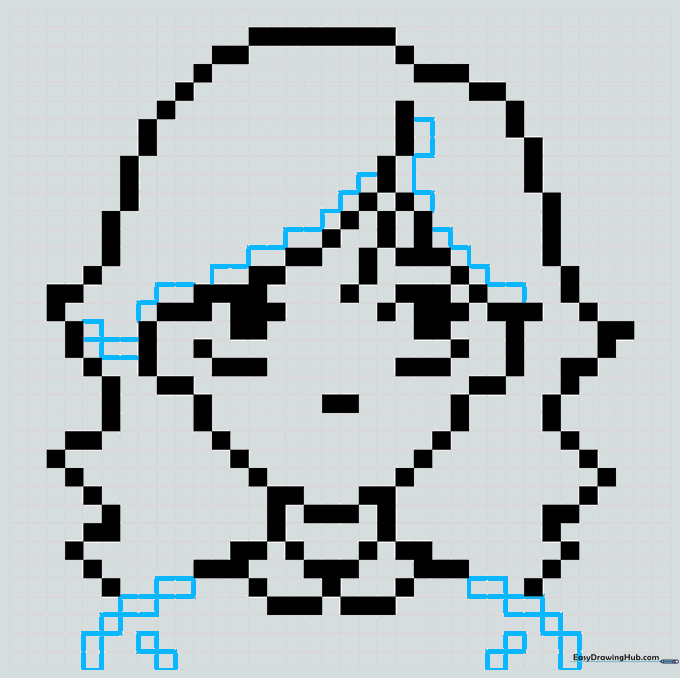
Shade diagonal segments for the shoulders and add unshaded squares along the hair edges for highlights. Teacher's Tip: Highlights make your art look 3D, even on a flat grid!
Step 8: Refining Facial Expressions
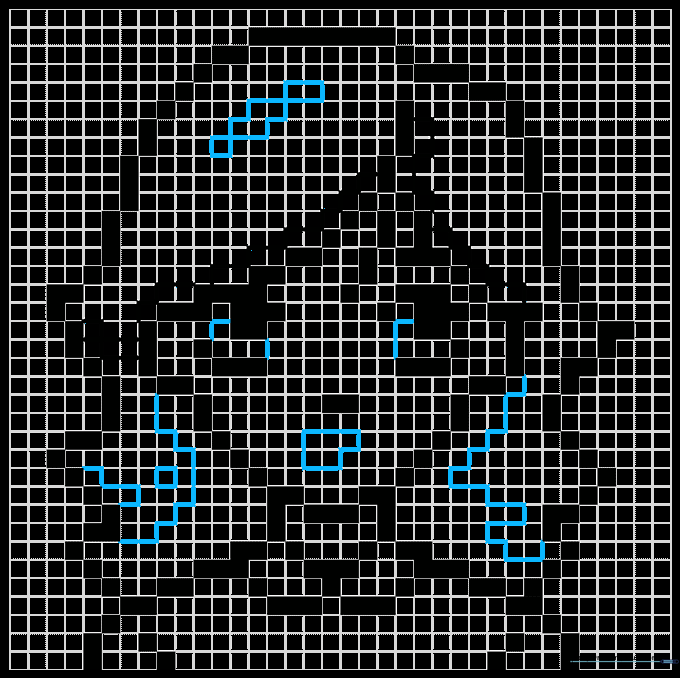
Add more detail to the hair and define the mouth with an 'L' shaped group of five squares. Connect the eye parts with short lines. Teacher's Tip: A simple mouth shape can change the whole expression of your character—try experimenting with different shapes!
Step 9: Final Outline Check
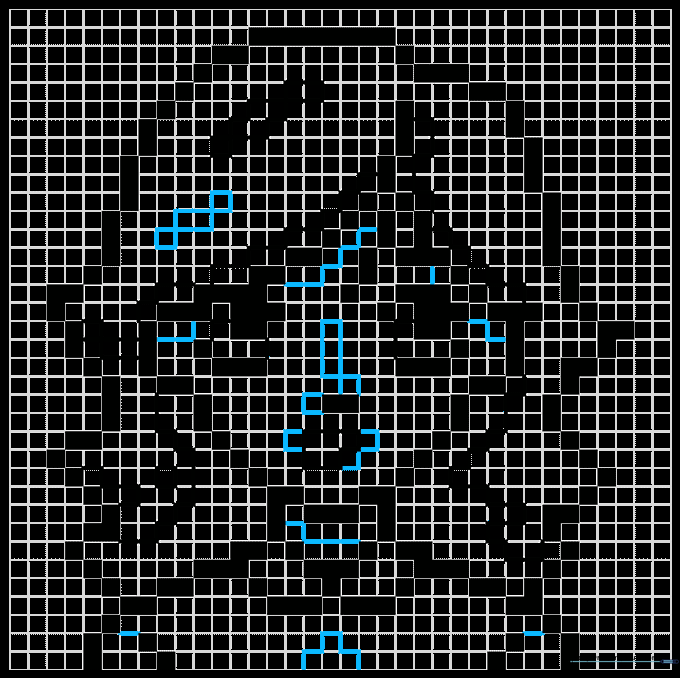
Add narrow lines to the hair, nose, and blouse to prepare for coloring. Teacher's Tip: Think of these lines as your 'coloring boundaries' to keep your final piece neat.
Step 10: Adding Color
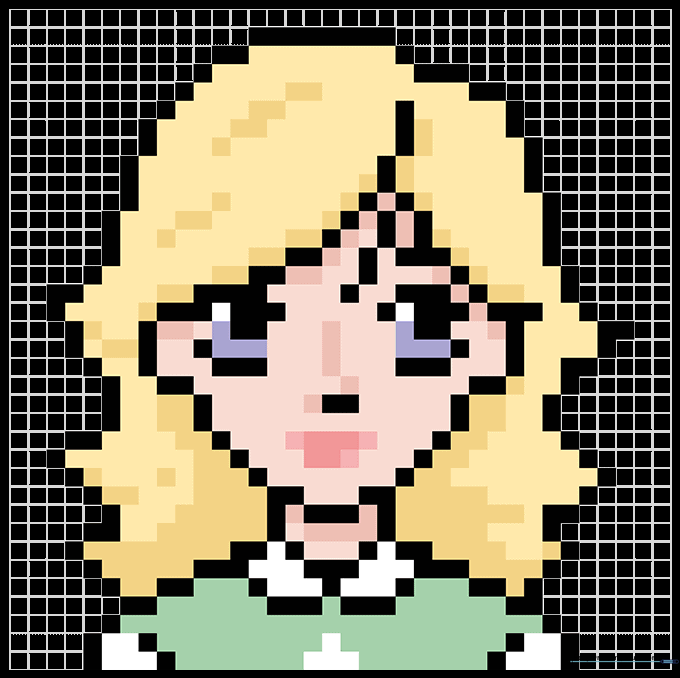
Bring your character to life with color! Use different shades within the sections you created to add depth. Teacher's Tip: Try using two shades of the same color for the hair to create a realistic light-and-shadow effect.
More Tutorials


